Production Line Shift Management System
Make line operations visible, from staffing to performance analysis
A web system for managing operating status, workers, shifts, and process-level rotations for each factory production line in one workflow. Alongside master data for employees, skills, machines, and products, it records, searches, and analyzes scrap counts and cycle times to support daily staffing and production visibility.
View service overview slidesUpdated: 9/2026
The video is in Japanese.
System Architecture
This is the configuration for running it in production on AWS. Planners and group leaders use the web app, and masters, shifts, and results are stored in RDS through the API.
 AWS
AWS


- Production planners and group leaders use the Next.js web app on AWS Amplify and sign in with Amazon Cognito.
- An API on AWS Lambda stores masters, shifts, and results in Amazon RDS.
Drag to move the diagram. Click it first to zoom with the mouse wheel.
Drag to move the diagram, and use the buttons at the top right to zoom.
With a keyboard, use the arrow keys to move, + and − to zoom, and 0 to reset.
Workflow
Planners build shifts and rotations from staff skills and line requirements, and group leaders record daily results. Lines short on people or skills are flagged, and results can be analyzed by period.


- Planners build shifts from master data on staff, skills, machines, and products.
- Group leaders record scrap counts and cycle times every day.
- The system builds station rotations and flags lines short on people or skills.
- Managers track production through daily, monthly, and yearly analysis.
Drag to move the diagram. Click it first to zoom with the mouse wheel.
Drag to move the diagram, and use the buttons at the top right to zoom.
With a keyboard, use the arrow keys to move, + and − to zoom, and 0 to reset.
Key Features
Support production-line operations across 17 screen types, from status monitoring and shift planning to process staffing and performance analysis.
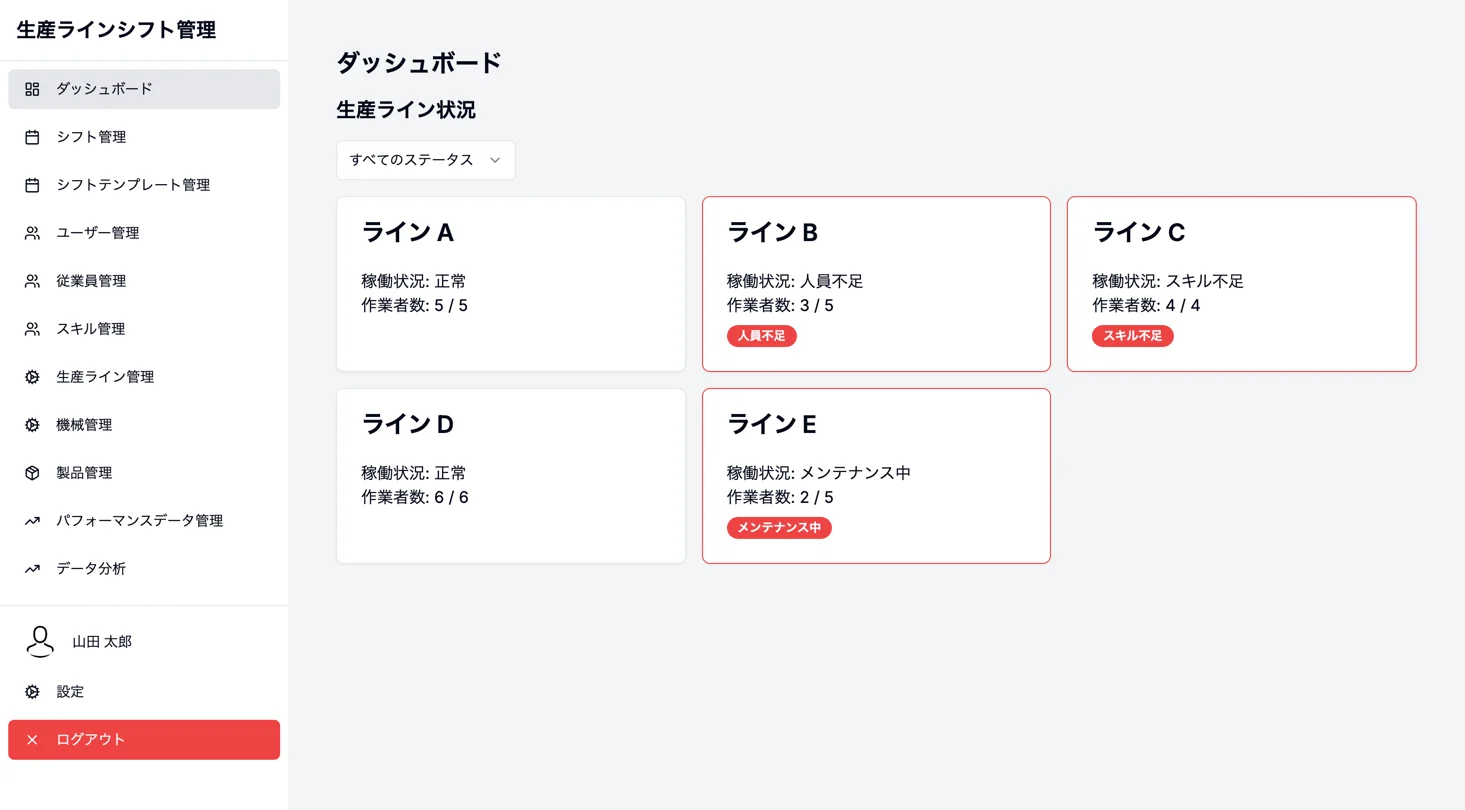
See production-line status at a glance
List each line's operating status, current worker count, and required headcount as cards. Highlight staffing gaps, skill gaps, and maintenance status, then filter by condition.
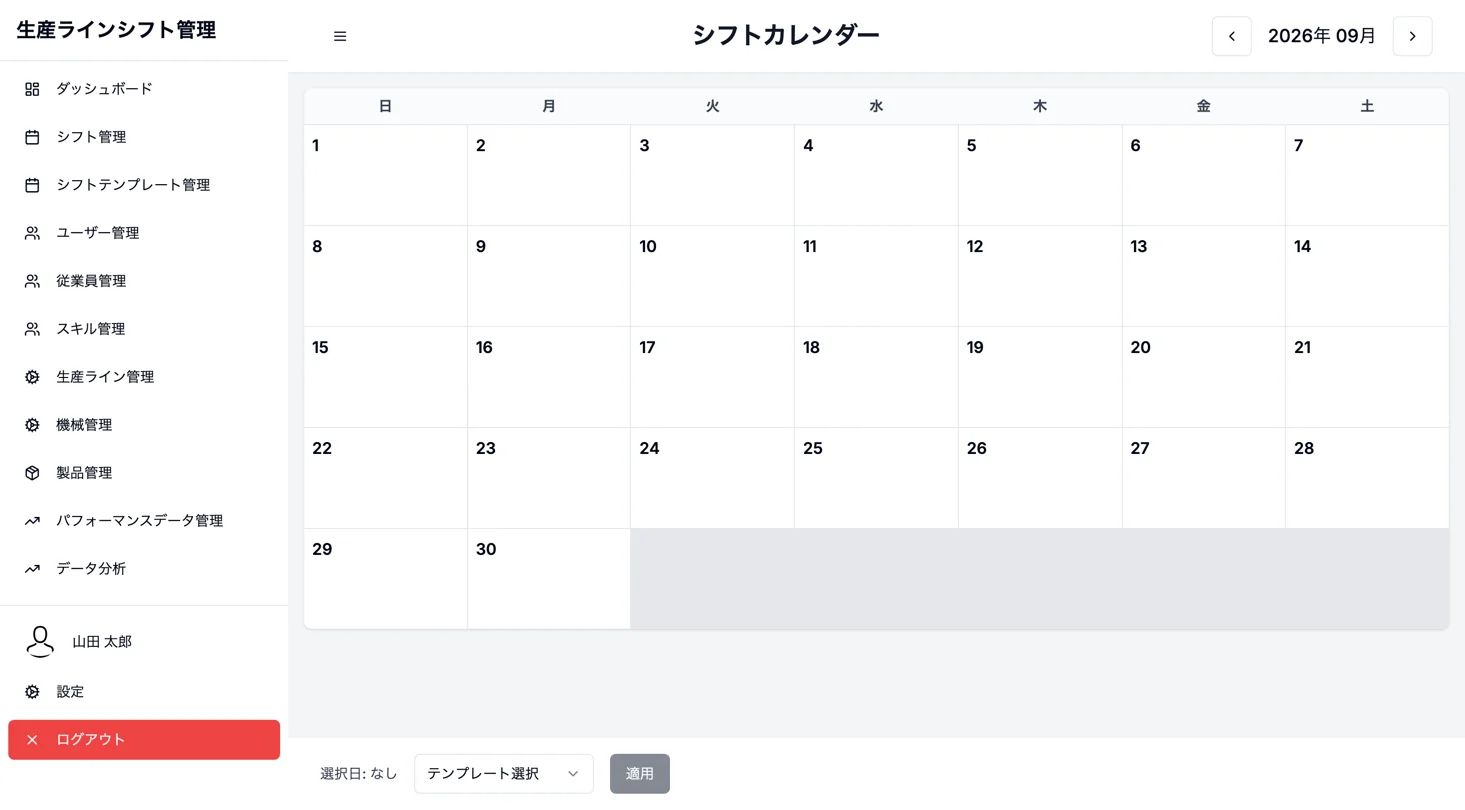
Monthly shifts and template application
Select a date on a month-view calendar and apply a shift template. The screen supports selecting consecutive dates, confirming overwrites of existing shifts, and moving to daily shift management.
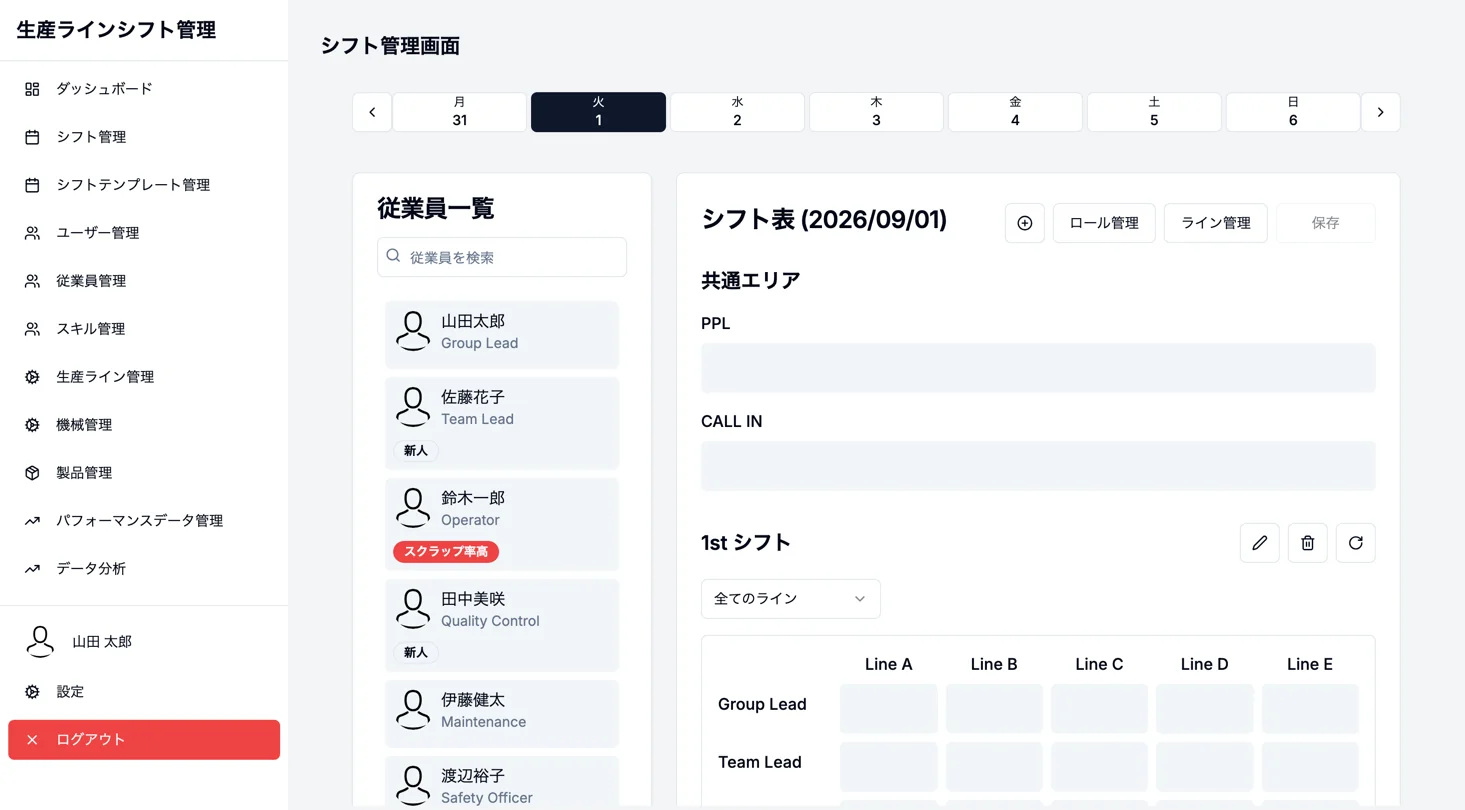
Plan shifts from the employee list
Arrange the employee list beside date-based shift tables to plan assignments. Shift, role, and production-line management, saving, and the route to rotation tables share one workflow.
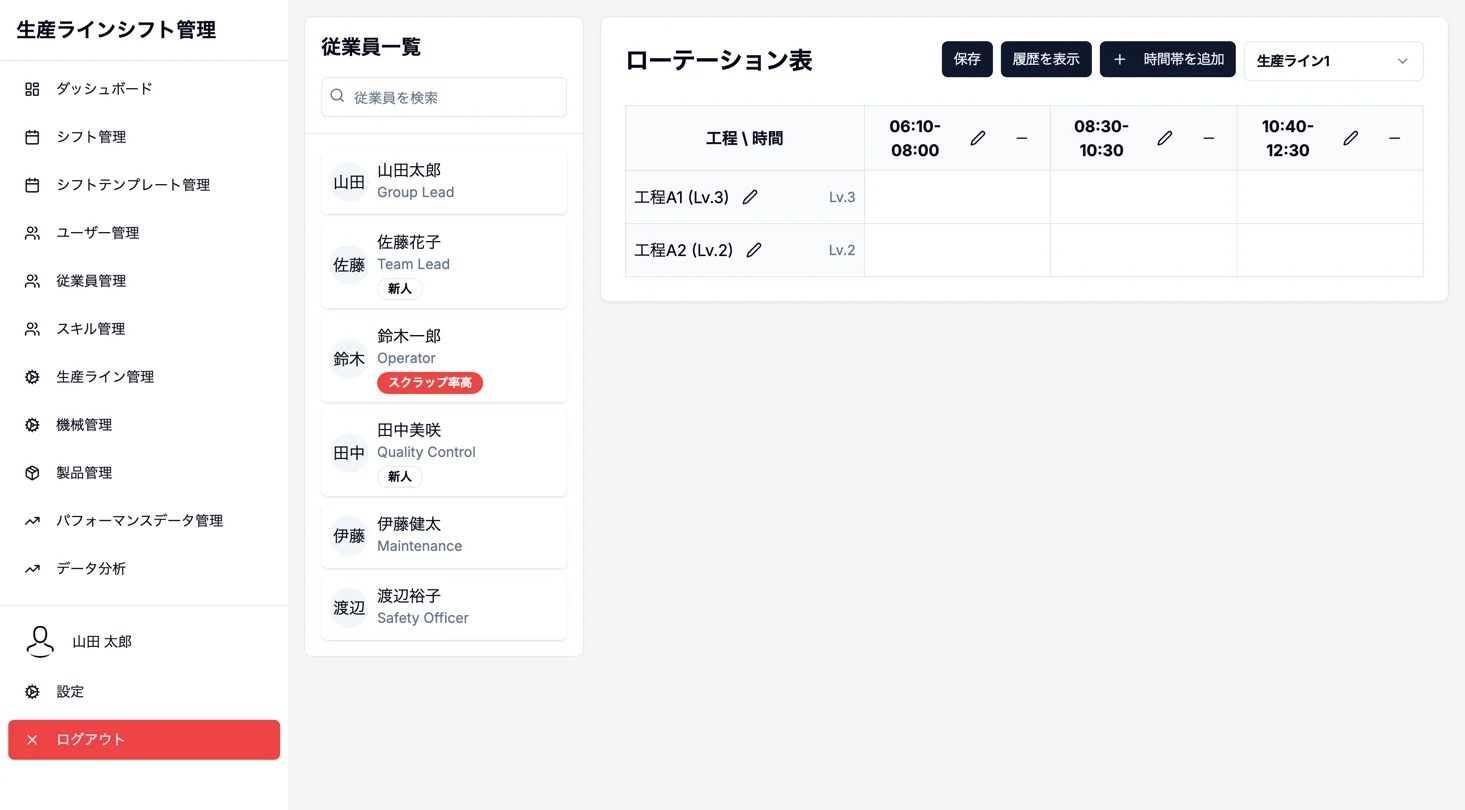
Plan rotations by process and time slot
Assign workers to a table with processes as rows and time slots as columns, while checking required skill levels for each process. Edit time slots and processes, switch lines, and review saved history.
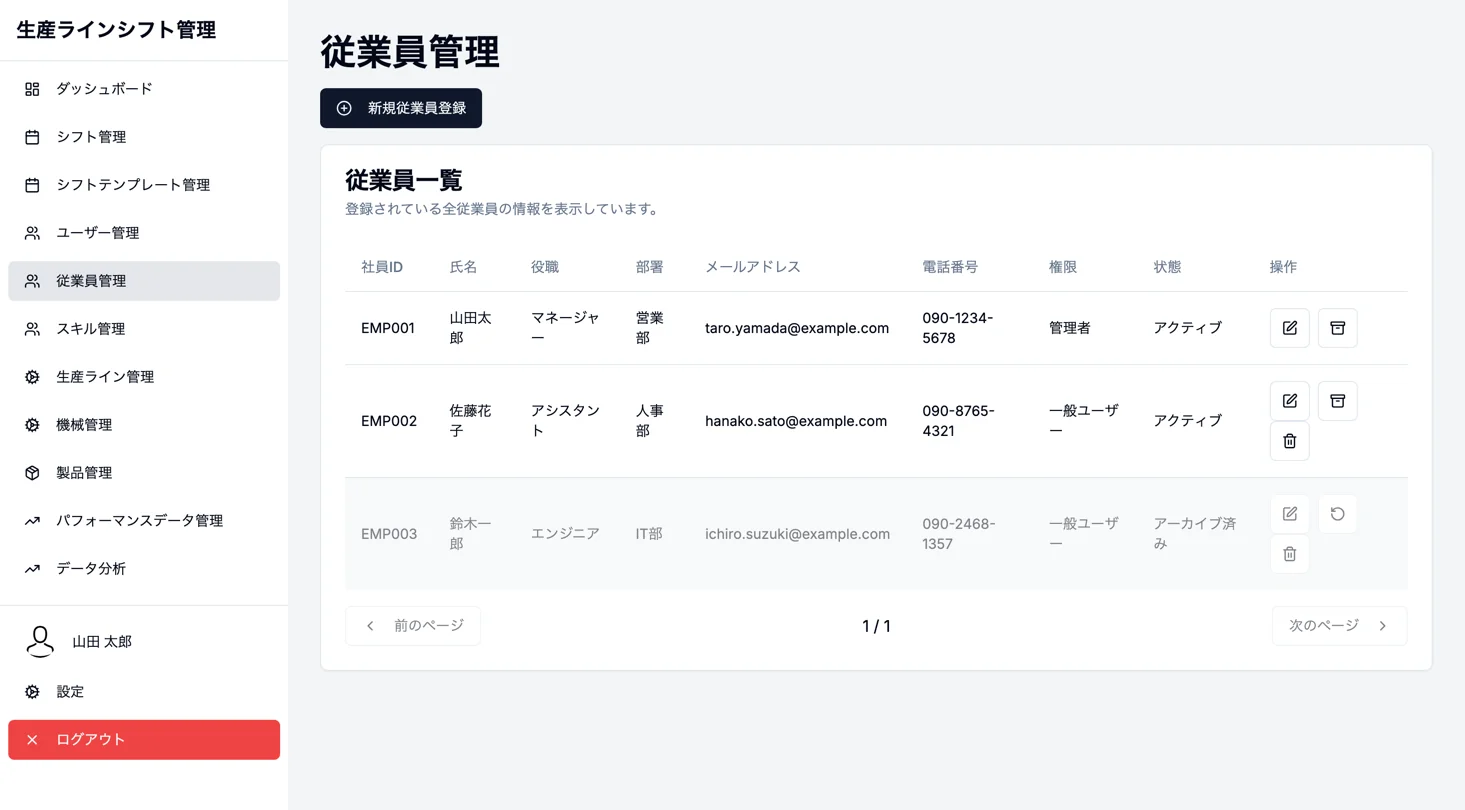
Manage employee information and employment status
Manage employee ID, name, role, department, email, phone, access, and status in one list. Register, edit, archive, or delete employees and open their detail pages.
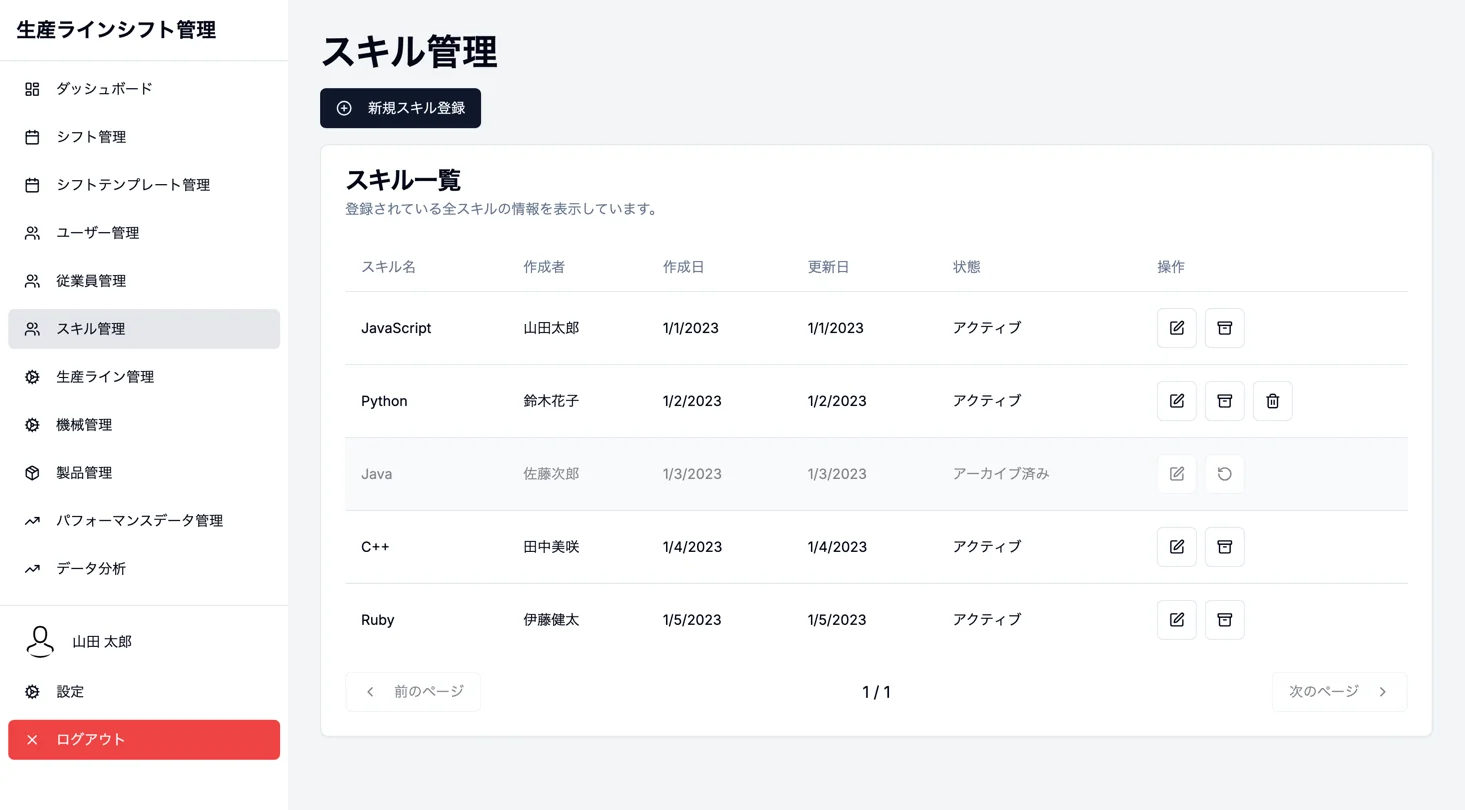
Manage skill information and status
List skill name, creator, creation date, update date, and status. Add, edit, archive, or delete skills.
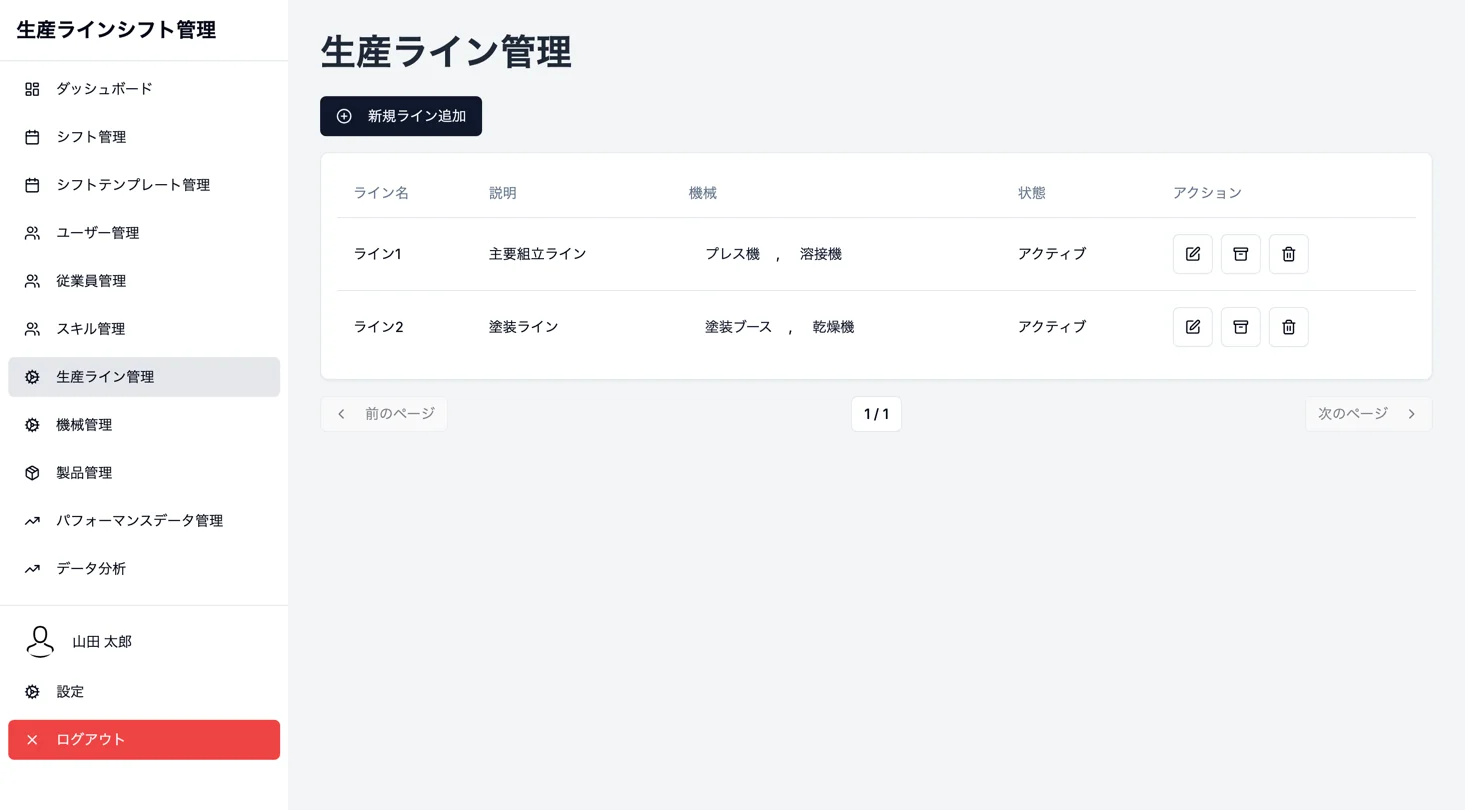
Manage production lines and equipment
Manage production-line names, descriptions, linked machines, and status in one list. Add, edit, archive, and delete lines; register and edit products in a separate product-management screen.
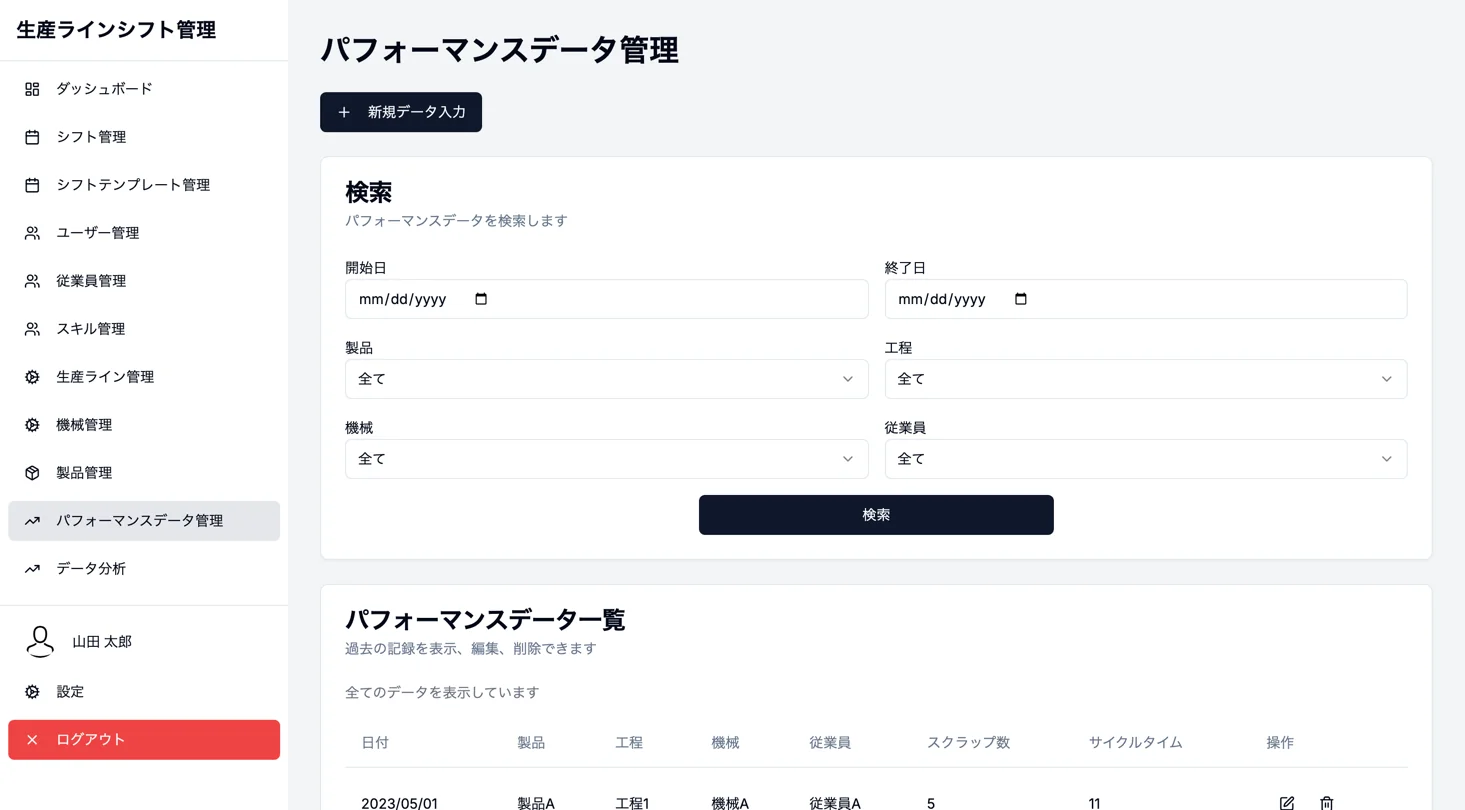
Record and search production performance
Record dates, products, processes, machines, employees, scrap counts, and cycle times, then review them in a list. Search by period and master-data conditions, and add, edit, or delete records.
Analyze scrap counts and cycle times
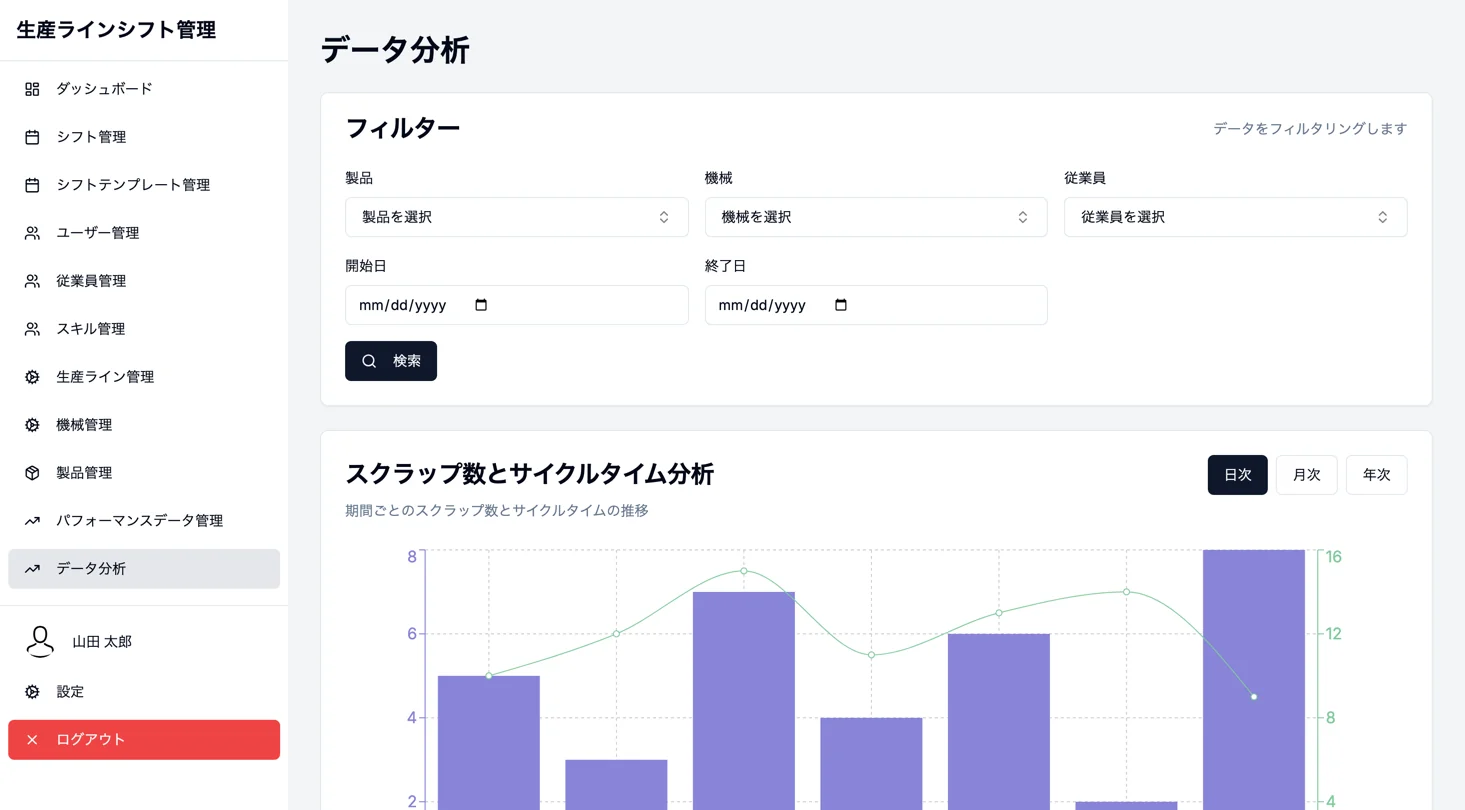
Visualize scrap counts as bars and cycle times as lines at the same time. Filter by product, machine, employee, and period, then switch between daily, monthly, and yearly views.
See production-line status at a glance
List each line's operating status, current worker count, and required headcount as cards. Highlight staffing gaps, skill gaps, and maintenance status, then filter by condition.
Monthly shifts and template application
Select a date on a month-view calendar and apply a shift template. The screen supports selecting consecutive dates, confirming overwrites of existing shifts, and moving to daily shift management.
Plan shifts from the employee list
Arrange the employee list beside date-based shift tables to plan assignments. Shift, role, and production-line management, saving, and the route to rotation tables share one workflow.
Plan rotations by process and time slot
Assign workers to a table with processes as rows and time slots as columns, while checking required skill levels for each process. Edit time slots and processes, switch lines, and review saved history.
Manage employee information and employment status
Manage employee ID, name, role, department, email, phone, access, and status in one list. Register, edit, archive, or delete employees and open their detail pages.
Manage skill information and status
List skill name, creator, creation date, update date, and status. Add, edit, archive, or delete skills.
Manage production lines and equipment
Manage production-line names, descriptions, linked machines, and status in one list. Add, edit, archive, and delete lines; register and edit products in a separate product-management screen.
Record and search production performance
Record dates, products, processes, machines, employees, scrap counts, and cycle times, then review them in a list. Search by period and master-data conditions, and add, edit, or delete records.
Analyze scrap counts and cycle times
Visualize scrap counts as bars and cycle times as lines at the same time. Filter by product, machine, employee, and period, then switch between daily, monthly, and yearly views.
Project Overview
Technology Stack (8 technologies)
- Next.js 15 (App Router)
- React 18 + TypeScript
- Tailwind CSS 3 + shadcn/ui
- Radix UI
- next-intl (Japanese and English switching)
- Recharts
- date-fns
- Lucide React
Implemented Features (9 features)
- Visibility into production-line status, staffing gaps, and skill gaps
- Monthly shift calendar and shift-template application
- Shift planning with employee lists plus role and line management
- Process and time-slot rotation planning, required-skill checks, and saved history
- Employee registration, editing, and status management
- Skill registration, editing, and status management
- Master data for production lines, machines, and products
- Performance data entry, search, editing, and deletion
- Daily, monthly, and yearly analysis of scrap counts and cycle times
We can build a similar system for your business.
Build a dedicated SaaS product with ¥0 initial cost in 2–6 weeks using the SDK and AI.