Business Card Capture CRM
Turn business-card photos into a growing customer database
A CRM app for sales teams. Take a photo of a business card and AI automatically extracts the person's name and company, then registers it as customer data. The PWA supports the full sales workflow, from contact, company, and deal management to email sending, map views, and QR business-card exchange.
View service overview slidesUpdated: 8/2026
The video is in Japanese.
System Architecture
When a rep snaps a business card, the API has OpenAI or Gemini read it and registers the company and contact in D1. The screens and API are one Next.js app running on Cloudflare Workers.
 Cloudflare Workers






- Sales reps and org admins use the Next.js web app (PWA) on Cloudflare Workers and sign in with Clerk.
- When a card is scanned, the API sends the image to OpenAI or Gemini to read the name and company.
- Accounts, contacts, and deals are stored in Cloudflare D1, and card images in Cloudflare R2.
- Data syncs to HubSpot only for orgs that turn it on, and email is sent with Resend.
Drag to move the diagram. Click it first to zoom with the mouse wheel.
Drag to move the diagram, and use the buttons at the top right to zoom.
With a keyboard, use the arrow keys to move, + and − to zoom, and 0 to reset.
Workflow
Snap a card and the company and contact are registered from what the AI reads, with deals, maps, and email drafts in the same app. No manual entry, and the whole sales team shares customer data.


- When a rep snaps a business card, the company and contact are registered from what the AI reads.
- Org admins invite members and set roles.
- Reps review AI-drafted emails and send them to customers.
- Orgs that turn it on sync accounts and contacts to HubSpot.
Drag to move the diagram. Click it first to zoom with the mouse wheel.
Drag to move the diagram, and use the buttons at the top right to zoom.
With a keyboard, use the arrow keys to move, + and − to zoom, and 0 to reset.
Key Features
Support the full sales process from business-card capture to customer management and sales activity.
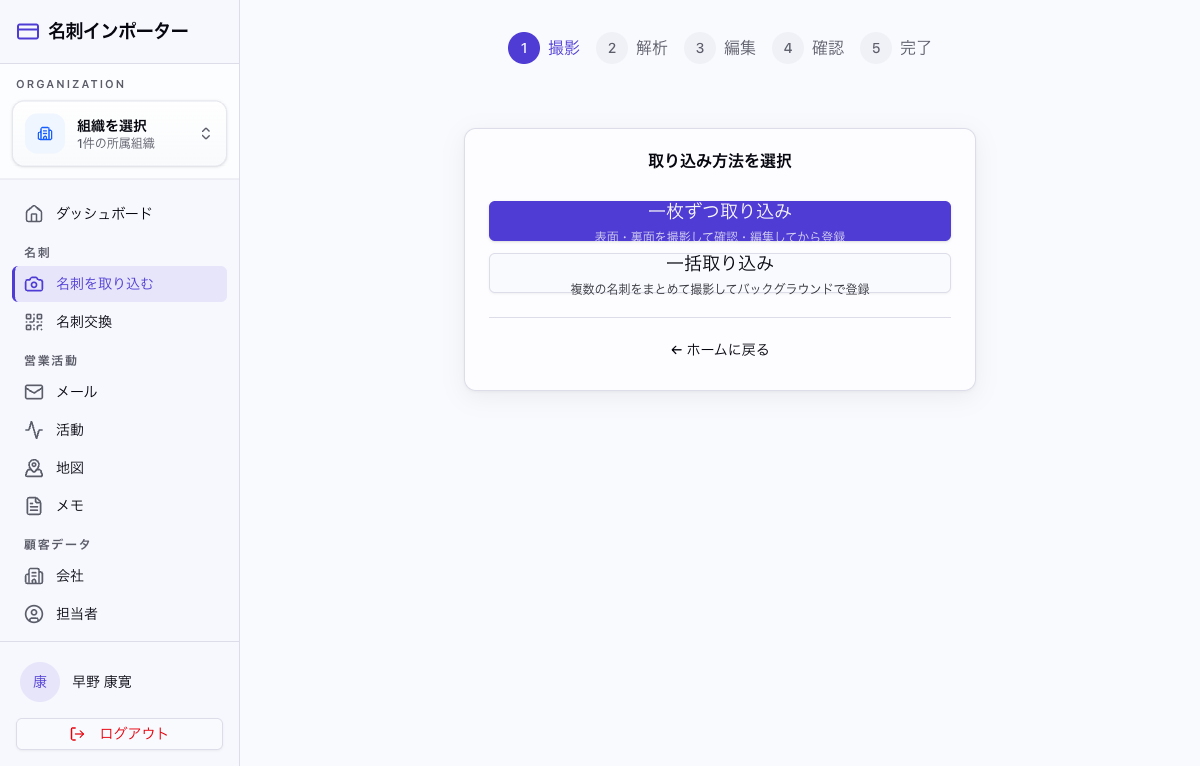
Business-card capture and AI parsing
Take a business-card photo and AI extracts the name, company, email, and phone number automatically. Choose between reviewing cards one by one or processing multiple cards in the background.
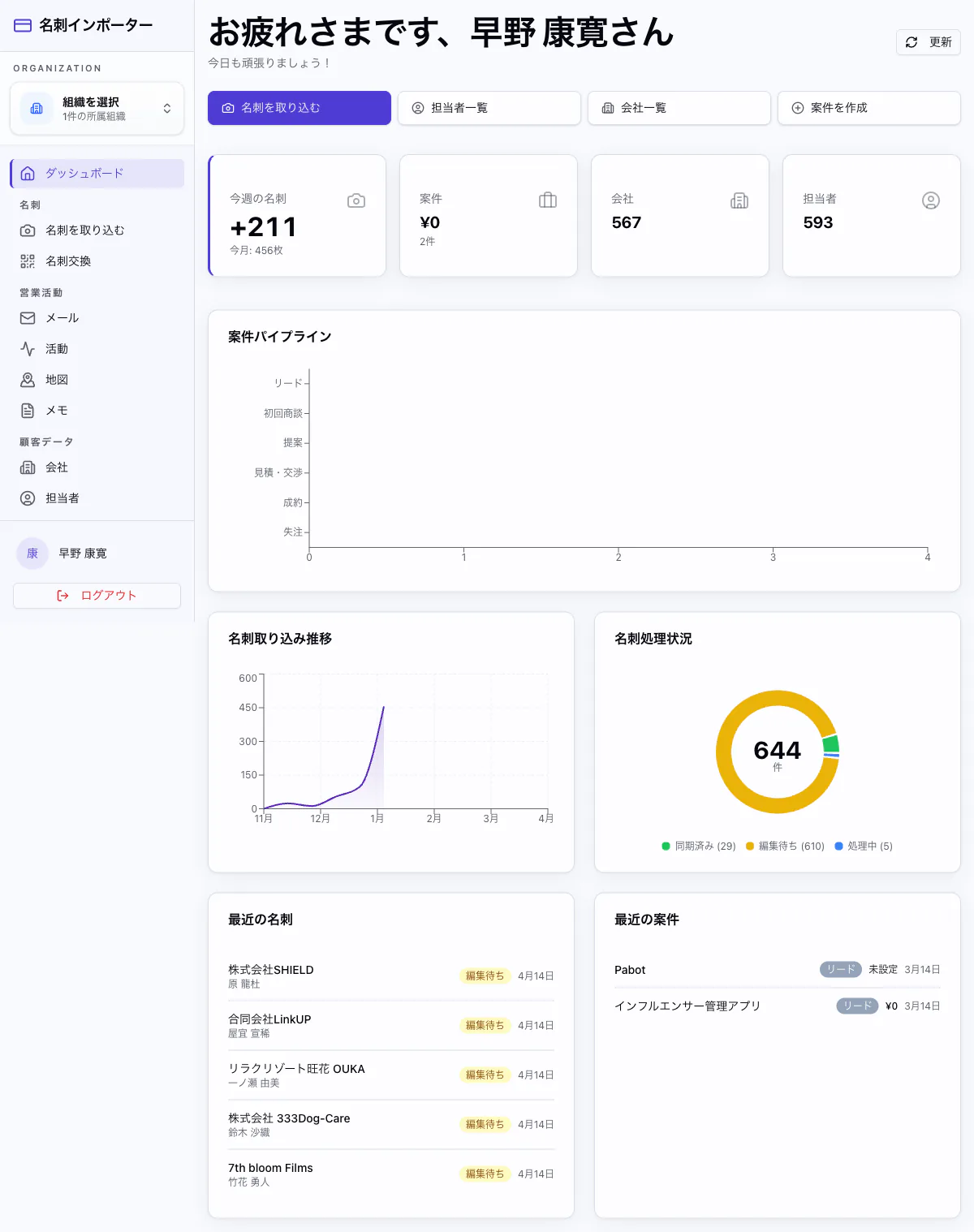
Dashboard
Bring KPIs for captured cards, deal value, companies, and contacts together on one screen. Review the deal pipeline, capture-trend chart, processing donut chart, and recent cards and deals in real time.
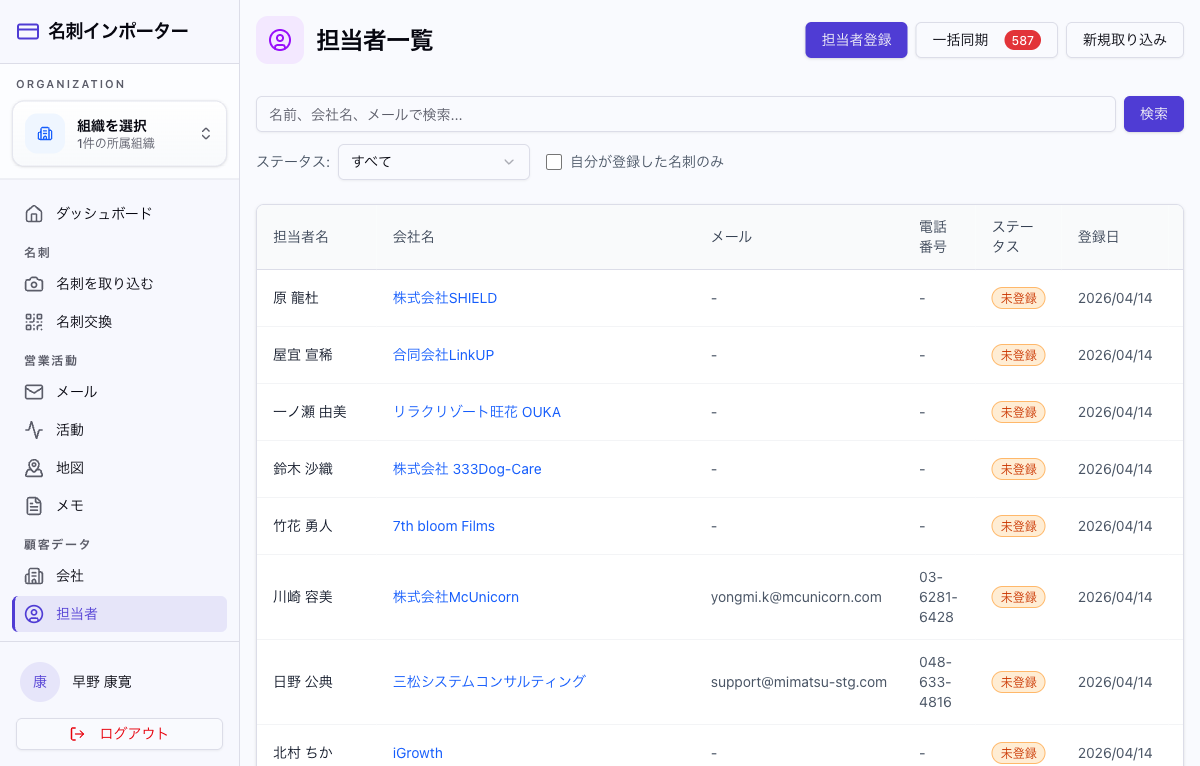
Contact management
Manage contacts captured from business cards in a list. Search by name, company, or email, sync in bulk with an external CRM, and see unregistered and synced statuses at a glance.
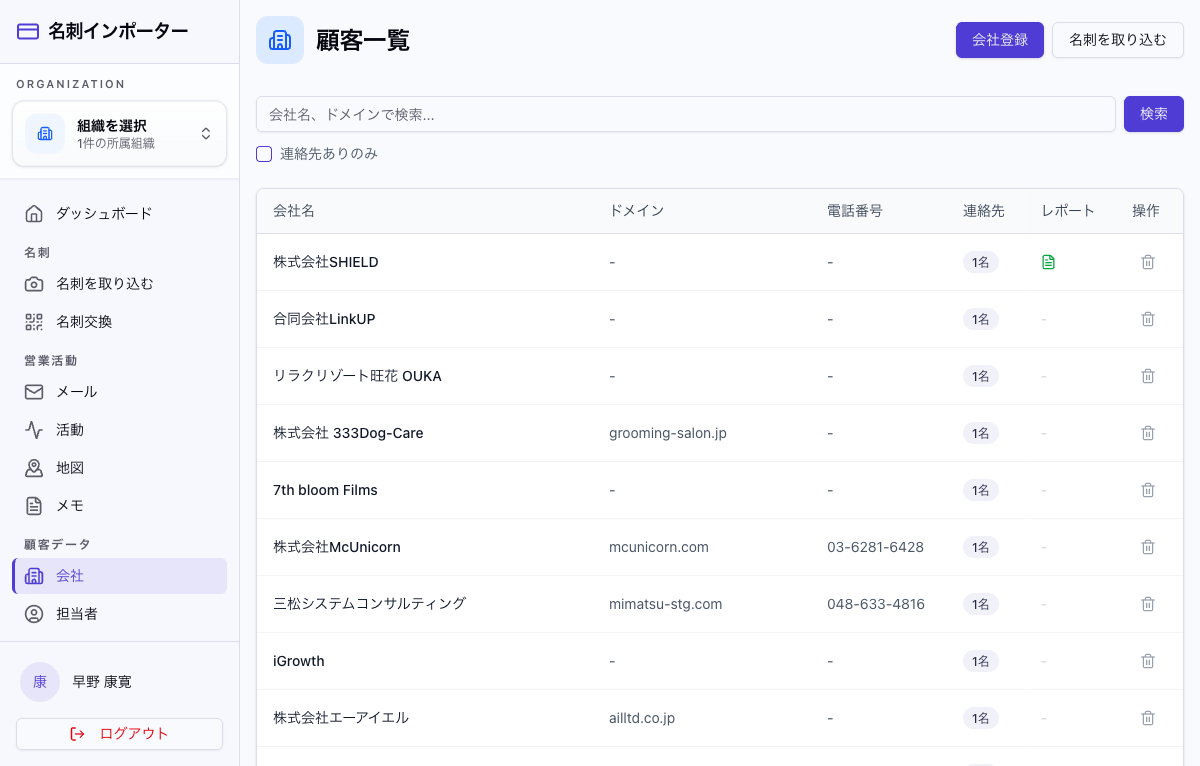
Company management
Manage company information with domains, phone numbers, and contact counts. Reports make each company's sales status visible while company data accumulates seamlessly from business-card capture.
Deal pipeline management
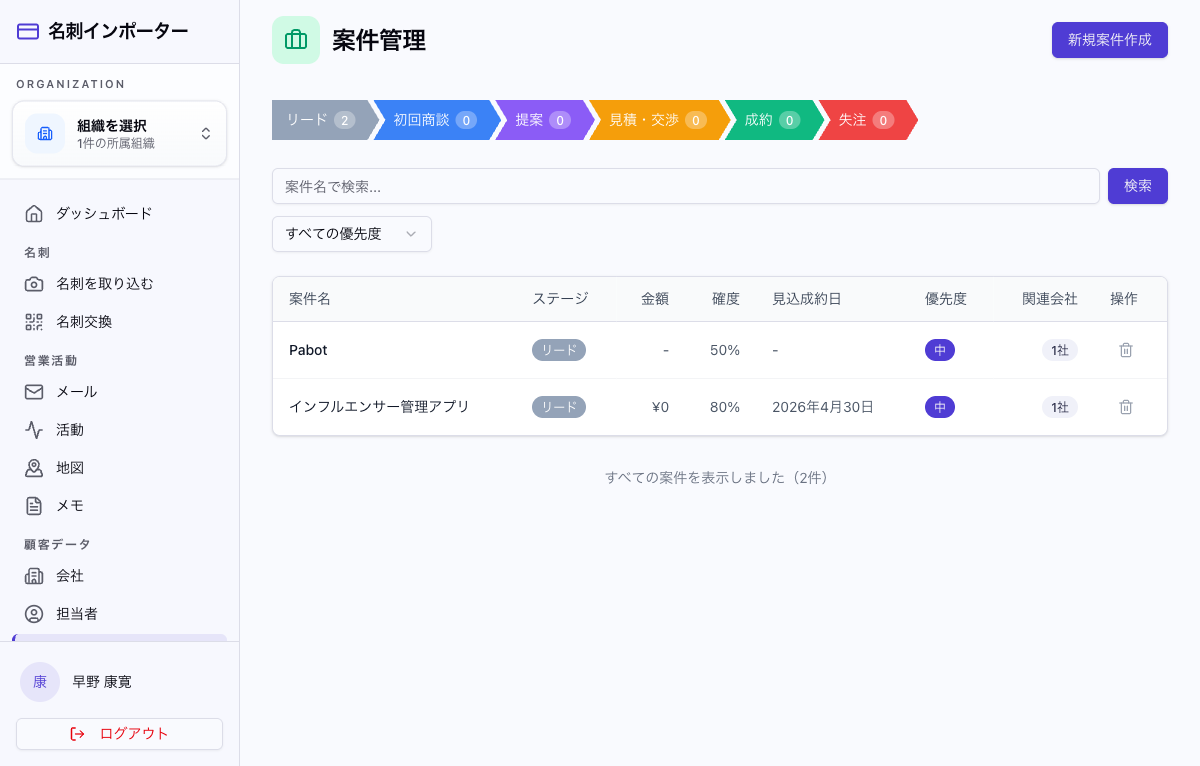
Visualize the pipeline across six stages: lead, first meeting, proposal, quote negotiation, closed won, and closed lost. Manage value, probability, expected close date, and priority to standardize the sales process.
QR business-card exchange
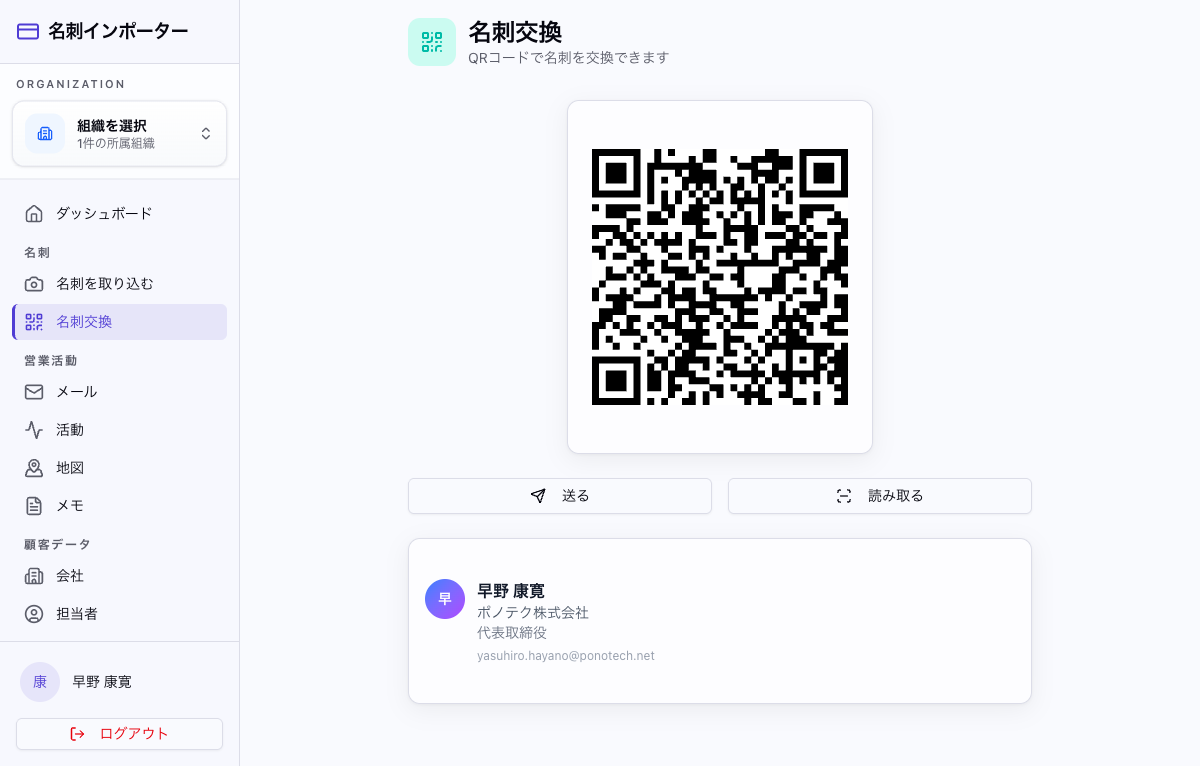
Display your business-card information as a QR code for instant in-person exchange. Scan the other person's QR code to import it, making information sharing easy even without paper cards.
AI email generation and sending
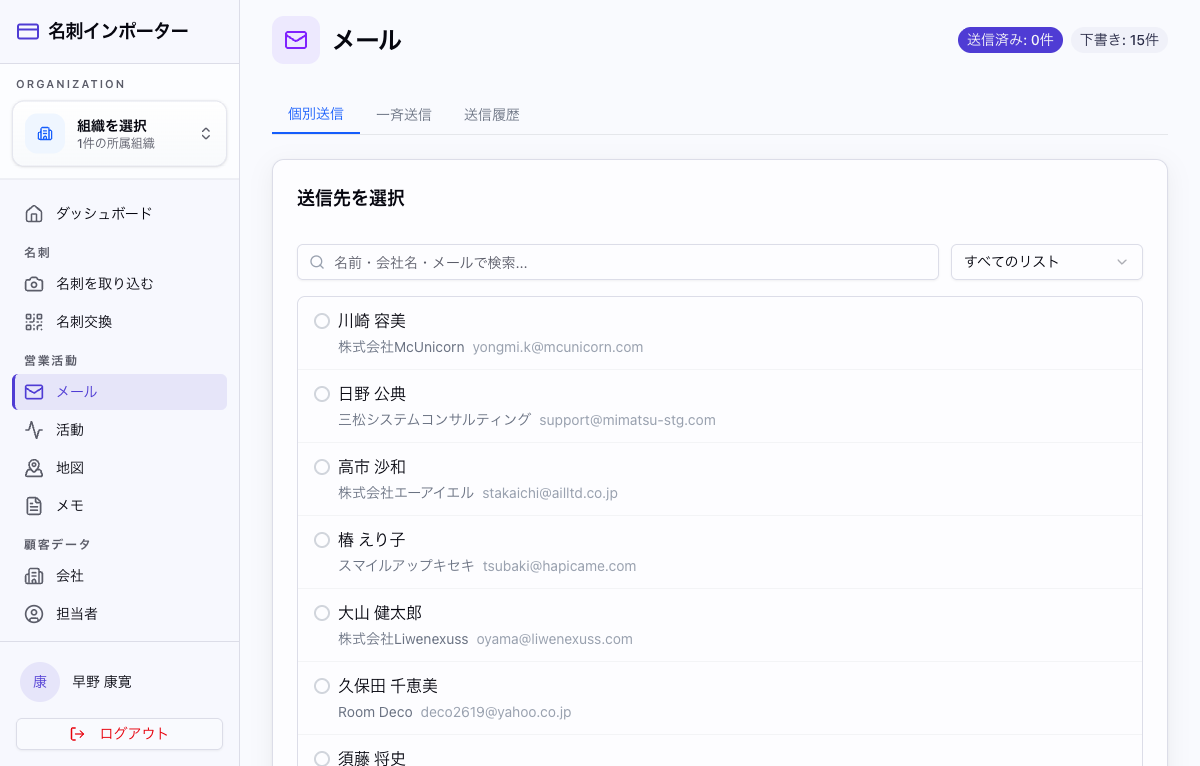
Combine preset prompt templates with customer details such as company, contact, and title to generate email copy automatically. Support individual and bulk sending while keeping a sending history.
Sales map
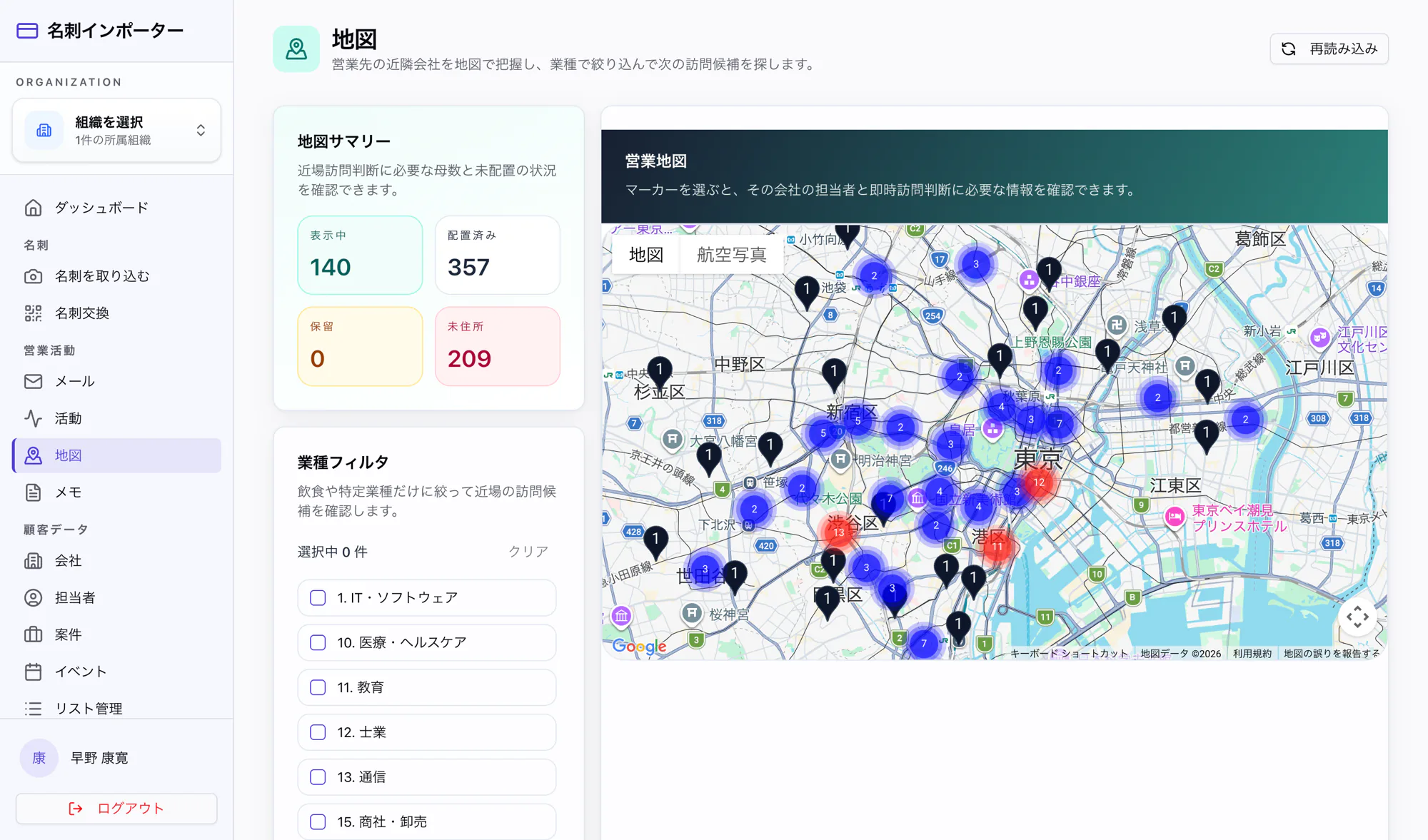
Map customer locations and filter nearby visit candidates by industry. Support efficient route planning for field sales.
Business-card capture and AI parsing
Take a business-card photo and AI extracts the name, company, email, and phone number automatically. Choose between reviewing cards one by one or processing multiple cards in the background.
Dashboard
Bring KPIs for captured cards, deal value, companies, and contacts together on one screen. Review the deal pipeline, capture-trend chart, processing donut chart, and recent cards and deals in real time.
Contact management
Manage contacts captured from business cards in a list. Search by name, company, or email, sync in bulk with an external CRM, and see unregistered and synced statuses at a glance.
Company management
Manage company information with domains, phone numbers, and contact counts. Reports make each company's sales status visible while company data accumulates seamlessly from business-card capture.
Deal pipeline management
Visualize the pipeline across six stages: lead, first meeting, proposal, quote negotiation, closed won, and closed lost. Manage value, probability, expected close date, and priority to standardize the sales process.
QR business-card exchange
Display your business-card information as a QR code for instant in-person exchange. Scan the other person's QR code to import it, making information sharing easy even without paper cards.
AI email generation and sending
Combine preset prompt templates with customer details such as company, contact, and title to generate email copy automatically. Support individual and bulk sending while keeping a sending history.
Sales map
Map customer locations and filter nearby visit candidates by industry. Support efficient route planning for field sales.
Project Overview
Technology Stack (7 technologies)
- Next.js (App Router)
- React + TypeScript
- Tailwind CSS
- Clerk Authentication
- External CRM integration API
- AI OCR (business-card parsing)
- PWA (native-like smartphone support)
Implemented Features (7 features)
- Business-card capture and AI parsing (single and batch)
- Automatic synchronization of contact and company data
- Deal pipeline management (six stages)
- QR business-card exchange
- AI email generation (preset plus customer data)
- Sales map with industry filters
- Organization, user, and dashboard management
We can build a similar system for your business.
Build a dedicated SaaS product with ¥0 initial cost in 2–6 weeks using the SDK and AI.