SOERESS
An after-care CRM for beauty salons that brings treatment records, follow-ups, client messages and retail together
SOERESS helps esthetic and beauty salons keep up their relationship with clients after each treatment as a shared store routine, not something that depends on one staff member's memory. Staff record every treatment and share a client-facing summary separately from internal notes. Clients without a next booking appear on a follow-up list with a reason and a due date, and staff can send messages and answer questions from the same screens. Clients use the member app and the LINE mini app to revisit their care records and next-visit guidance, book visits and buy products.
Updated: 11/2026
The video is in Japanese.
System Architecture
Clients revisit their care records, book and shop in the member app and the LINE mini app. Salon staff and the platform team use web admin screens. Business logic runs in an API on Cloudflare Workers, and the customer ledger lives in Neon.











- Clients use the React Native member app, a browser or the LINE mini app, and sign in with LINE or Google. Staff and the platform team use the TanStack Start web app and sign in with an emailed code.
- A Hono API on Cloudflare Workers handles business logic and stores the customer ledger, visit and care records, and sales in Neon PostgreSQL through Hyperdrive. Treatment photos and attachments sit in private R2 storage.
- Follow-up sends, CSV imports and data exports run later on Queues and Workflows, so accepted work survives a closed browser.
- Salon retail orders and subscriptions go through Stripe. Updates reach clients by email, LINE and app notifications.
Drag to move the diagram. Click it first to zoom with the mouse wheel.
Drag to move the diagram, and use the buttons at the top right to zoom.
With a keyboard, use the arrow keys to move, + and − to zoom, and 0 to reset.
Business Model
Salons pay SOERESS a monthly fee, and clients use the member app for free. Treatment fees and retail sales go straight from clients to the salon.


- Salons pay SOERESS a monthly fee and use admin tools for the customer ledger, care records, follow-ups and retail.
- Clients use the member app for free and pay the salon for treatments and products. Retail and subscription payments run on Stripe as a separate transaction from the monthly fee.
- Staff record each treatment and send next-visit guidance and replies to clients.
- SOERESS keeps the salon–client relationship going after each visit with the member app and notifications.
Drag to move the diagram. Click it first to zoom with the mouse wheel.
Drag to move the diagram, and use the buttons at the top right to zoom.
With a keyboard, use the arrow keys to move, + and − to zoom, and 0 to reset.
Key Features
From treatment records to follow-ups, product suggestions and repeat purchases, one service supports client care between visits
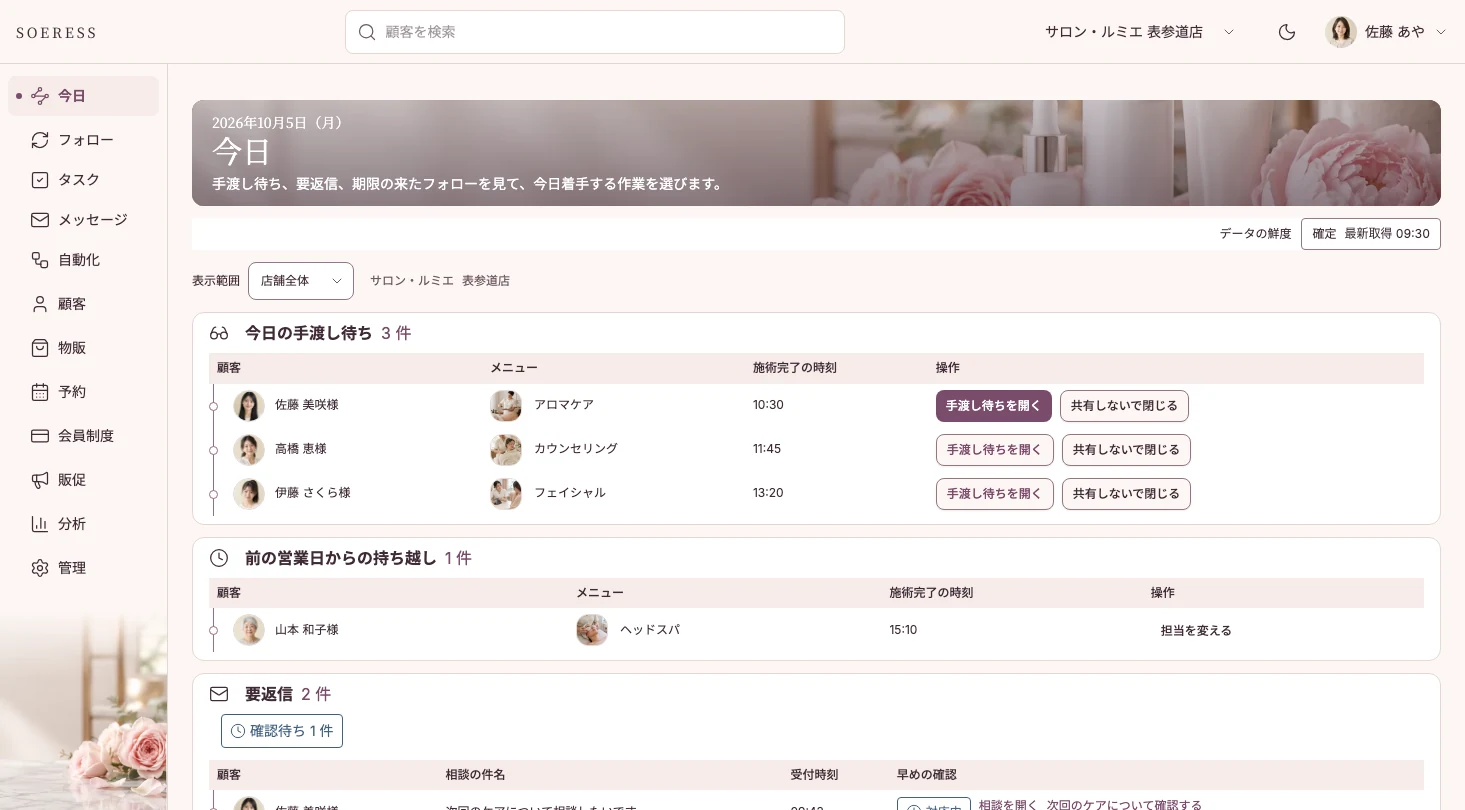
Today's work
One screen gathers clients whose treatment records are waiting to be shared, items carried over from the previous day and messages that need a reply. Staff work through it from the top and nothing slips through.
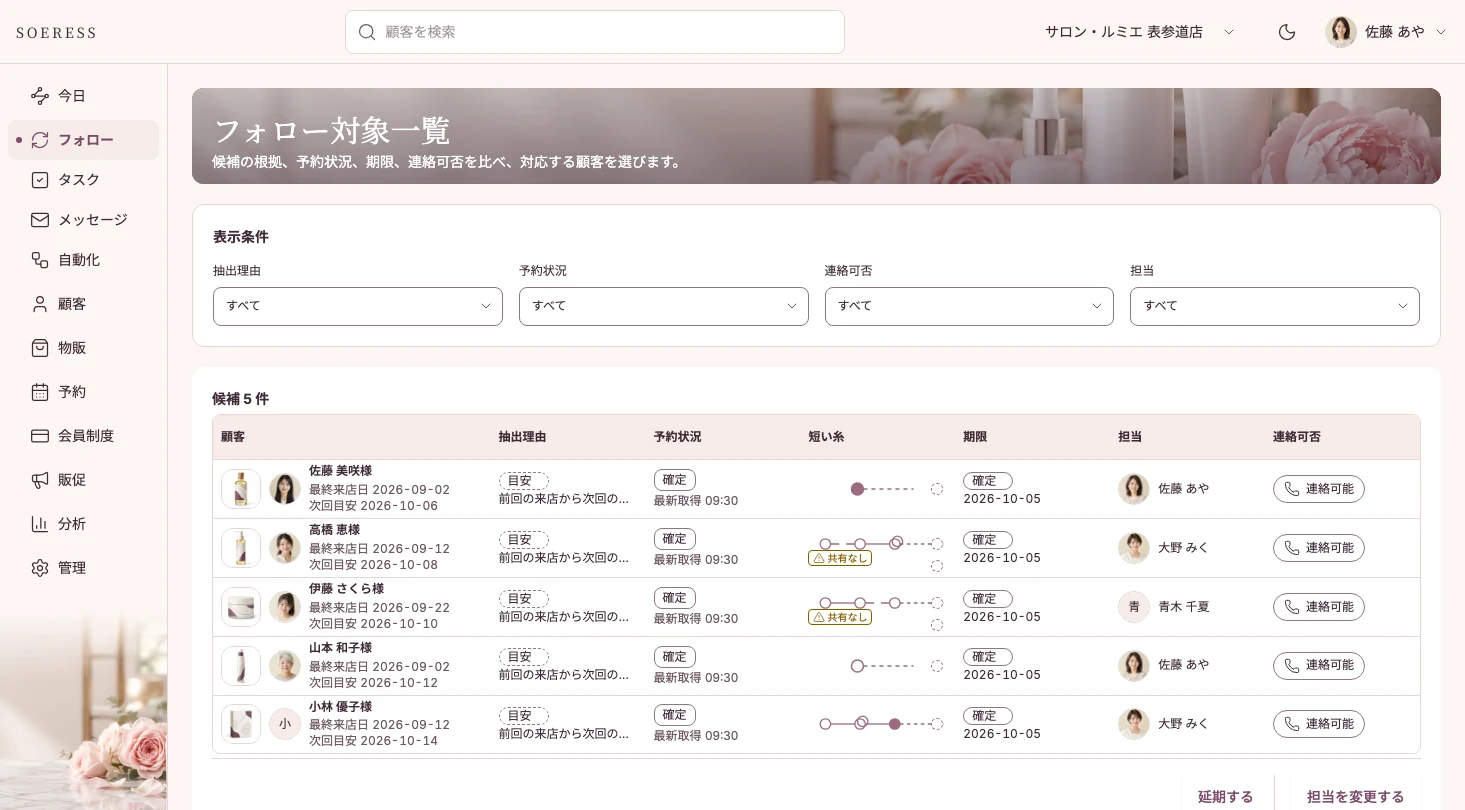
Follow-up list
Clients without a next booking, or whose last visit was a while ago, appear in a list with a reason and a due date. Filter by staff member or booking status and contact the client or create a task right away.
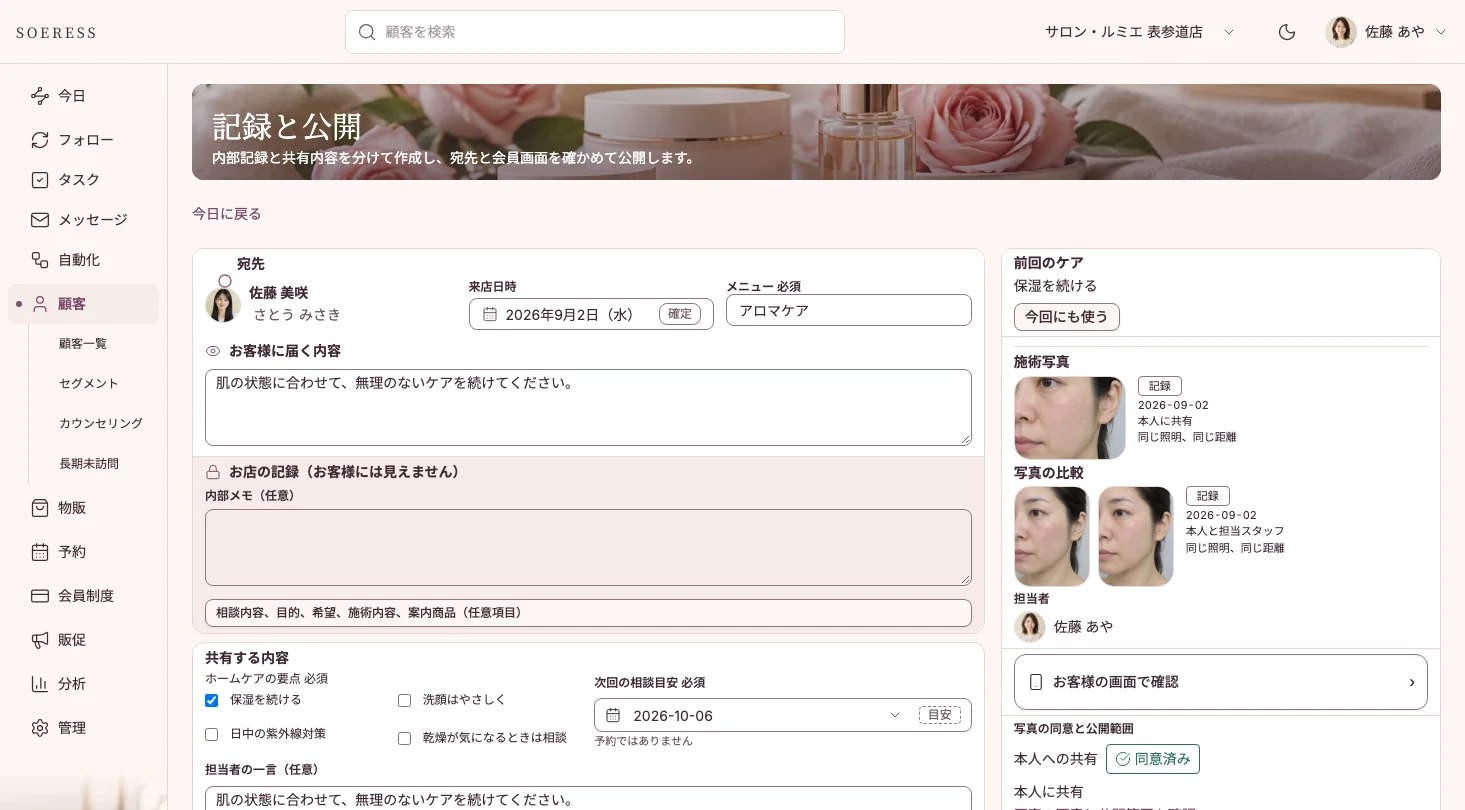
Treatment records
Record the menu, skin condition, photos and next-visit guidance for every treatment. Client-facing explanations are written separately from internal notes and published to the member app after review.
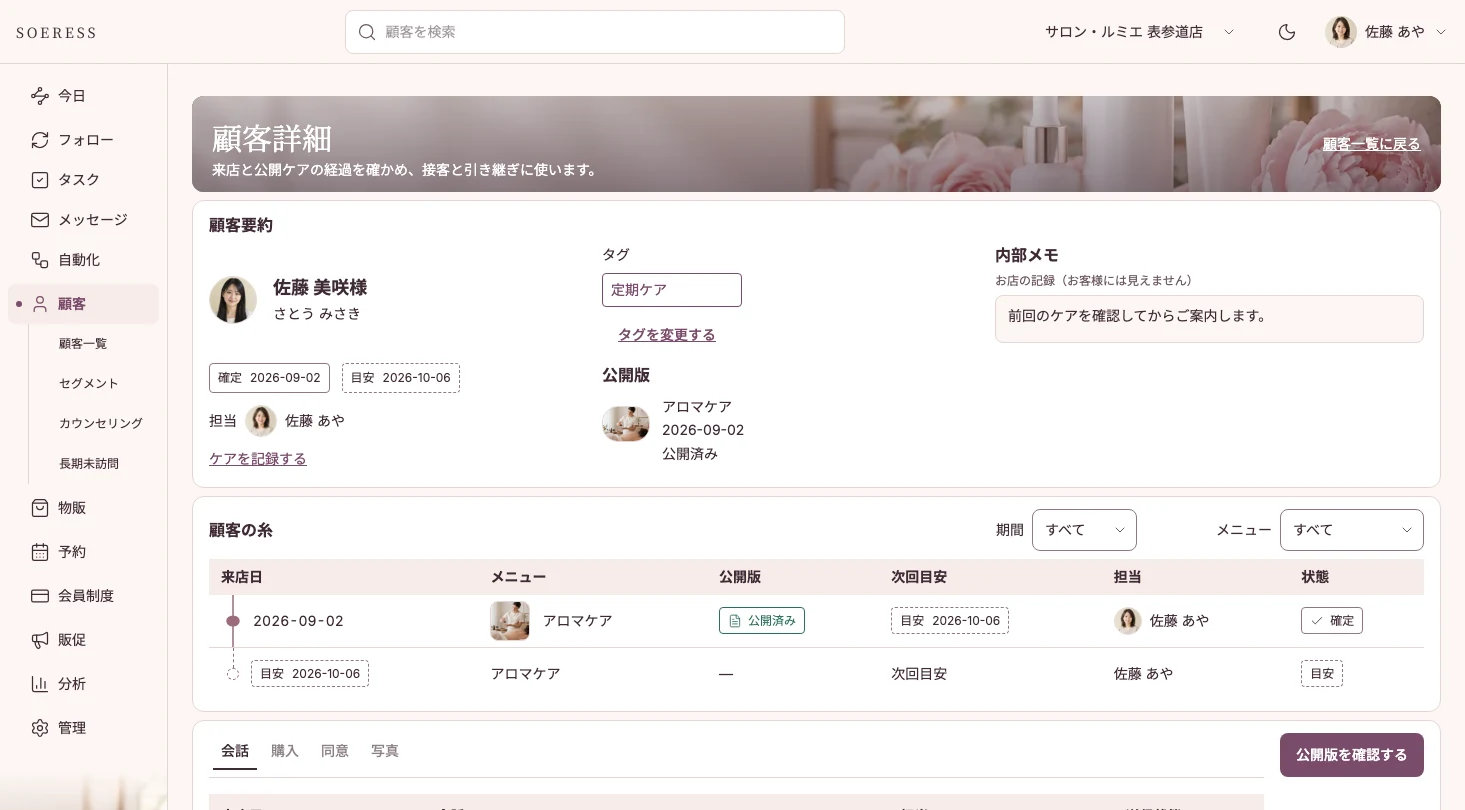
Customer ledger
See each client's visits, shared records, purchases and messages in one place. When the assigned staff member changes, the last treatment and conversation carry straight over.
Treatment photos and sharing
Compare before-and-after photos side by side and manage consent and sharing scope for each photo. Photos shared with the client never get mixed up with photos kept in the salon.
Follow-up automation
Build flows that decide what to send a set number of days after a visit and who gets a task when there is no response. Routine follow-ups run on their own, so staff can spend time on clients who need judgment.
Messages and client questions
The whole team receives client questions and replies while watching unanswered items and due dates. Outgoing messages can be drafted and approved separately, with scheduled sends and a delivery history.
Product suggestions per client
Choose recommended products and how to use them for each client, based on the treatment. Staff check how the suggestion will look on the client's screen before sending it.
Repeat-purchase follow-ups
Based on how long each product lasts, clients who are likely running low appear as candidates. Staff can check in on how the product is working and then suggest a repeat purchase.
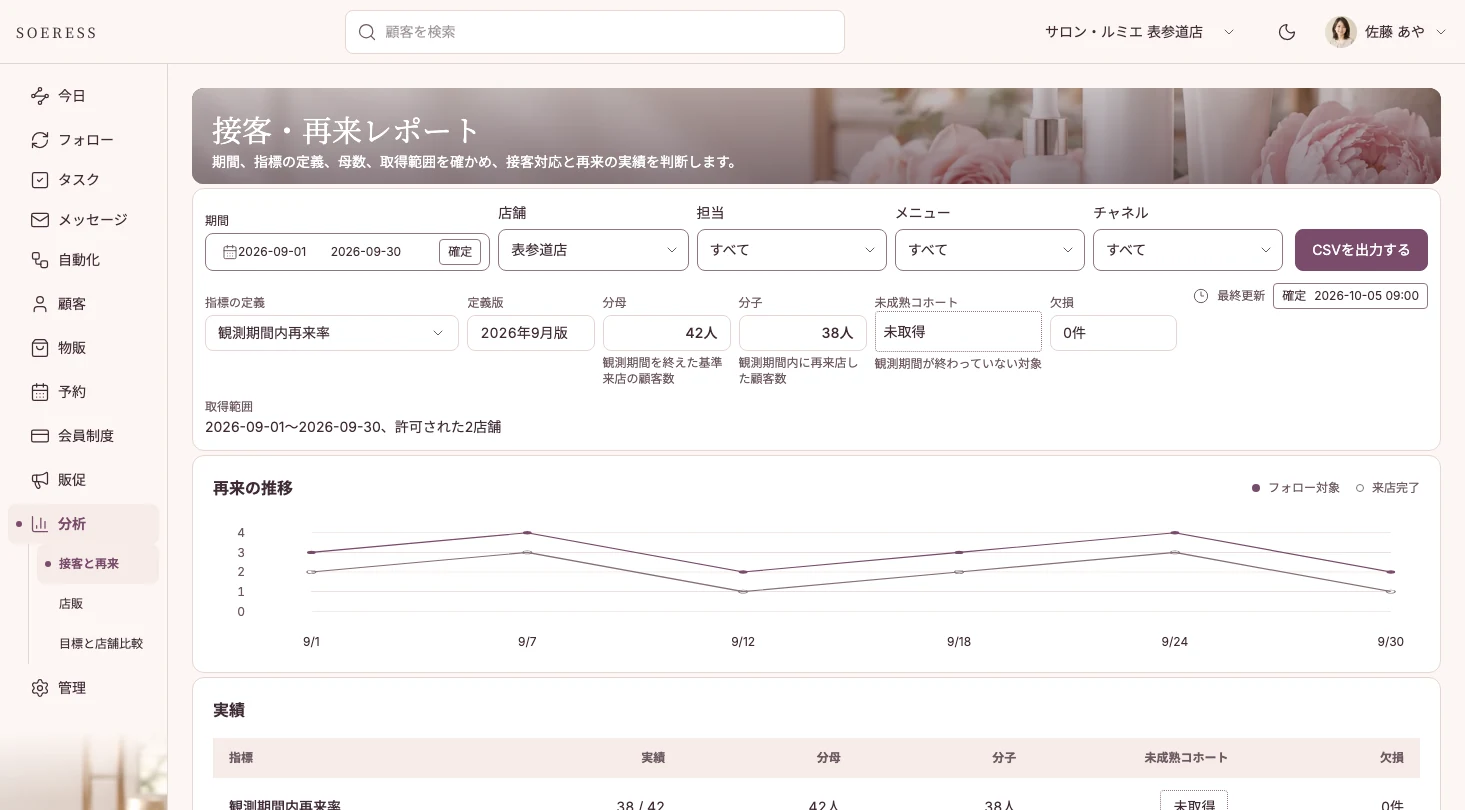
Follow-up and return-visit reports
Track completed follow-ups and return visits by period, store, staff member and menu. Together with the retail report, results are reviewed by visits and sales rather than by the number of messages sent.
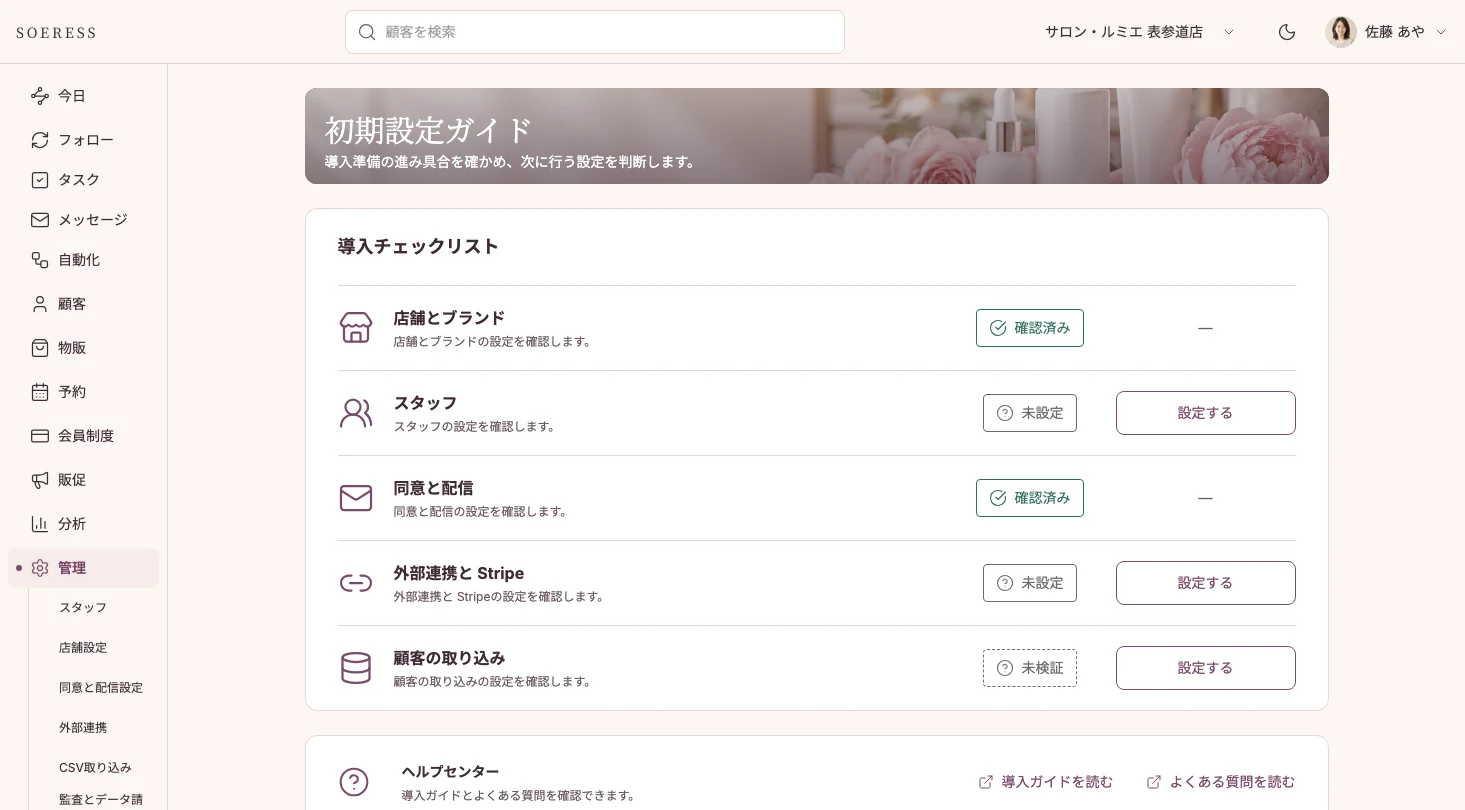
Setup guide
A checklist walks through stores and brand, staff, consent and messaging, integrations and payments, and importing client data. Progress is visible at a glance, so salons can get started without guesswork.
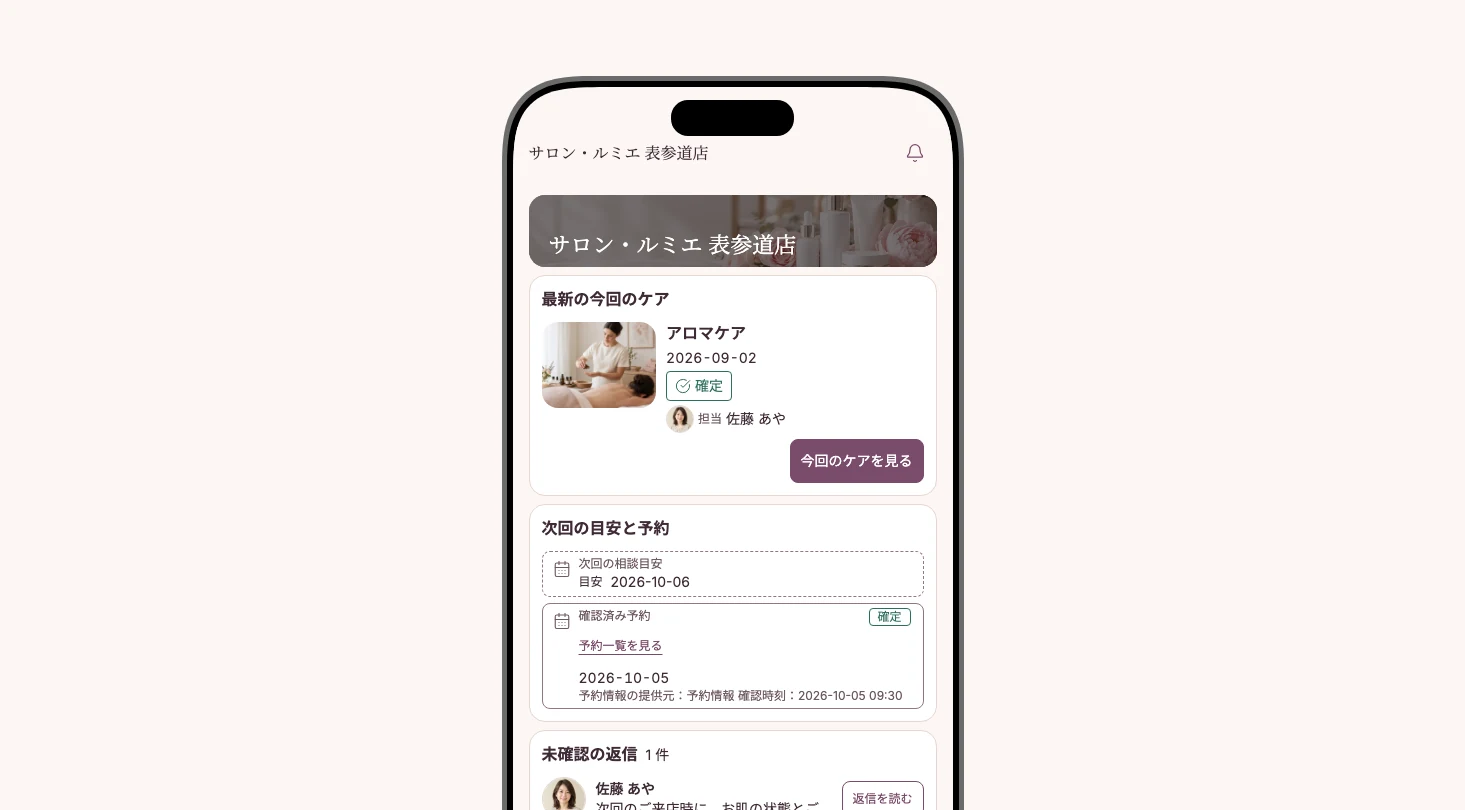
Member app for clients
When clients open the app, they see their latest care record, next-visit guidance, bookings and replies from the salon. Besides the iOS and Android apps, it works in a browser and as a LINE mini app.
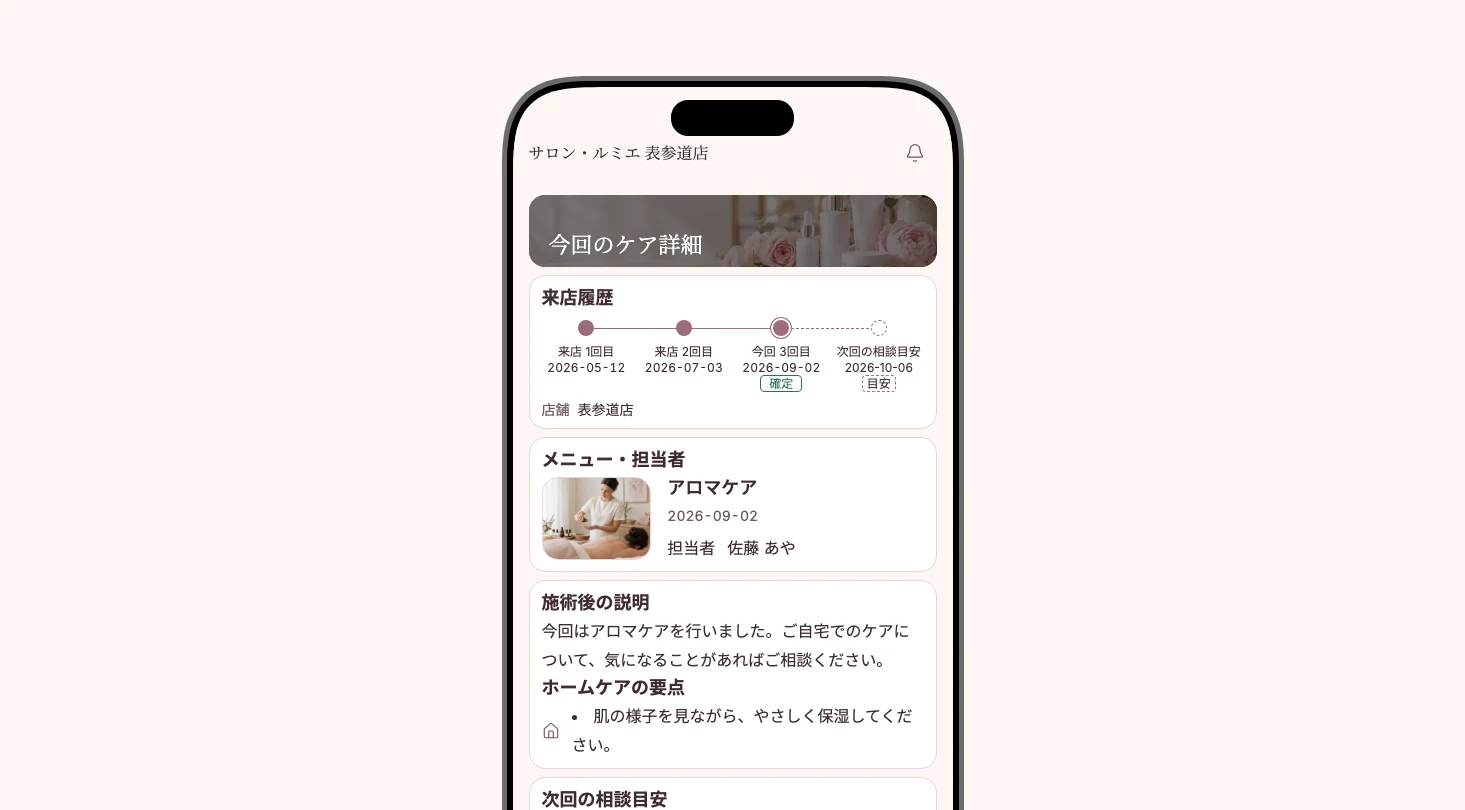
Revisiting care records
Clients can look back at their visit history, treatment details and staff member, post-treatment explanations and home-care tips. The next suggested visit is shown on the same screen.
Booking and shopping
Clients book visits and buy the salon's products in the app. Subscriptions, free points and coupons are supported, and payments run through Stripe.
Today's work
One screen gathers clients whose treatment records are waiting to be shared, items carried over from the previous day and messages that need a reply. Staff work through it from the top and nothing slips through.
Follow-up list
Clients without a next booking, or whose last visit was a while ago, appear in a list with a reason and a due date. Filter by staff member or booking status and contact the client or create a task right away.
Treatment records
Record the menu, skin condition, photos and next-visit guidance for every treatment. Client-facing explanations are written separately from internal notes and published to the member app after review.
Customer ledger
See each client's visits, shared records, purchases and messages in one place. When the assigned staff member changes, the last treatment and conversation carry straight over.
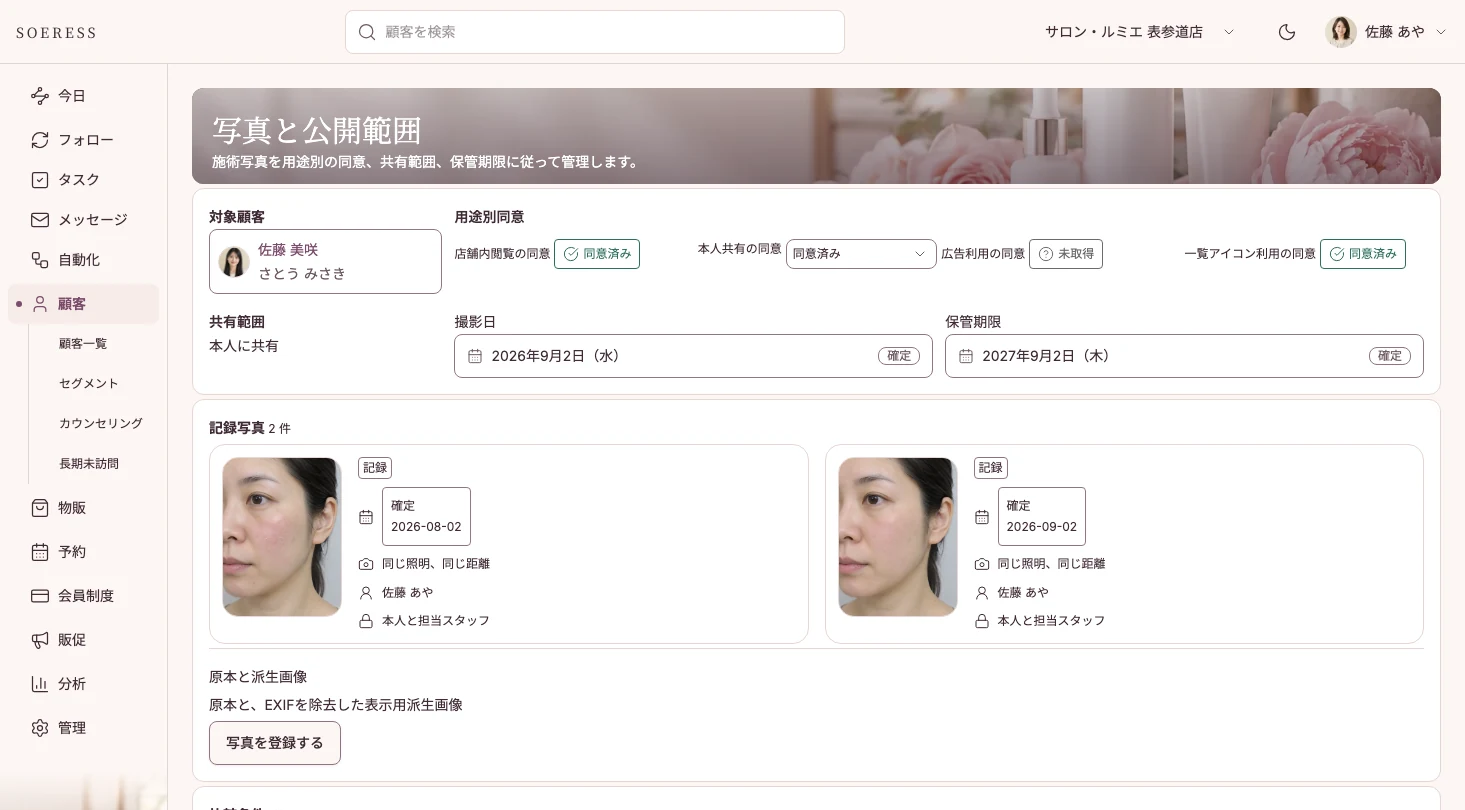
Treatment photos and sharing
Compare before-and-after photos side by side and manage consent and sharing scope for each photo. Photos shared with the client never get mixed up with photos kept in the salon.
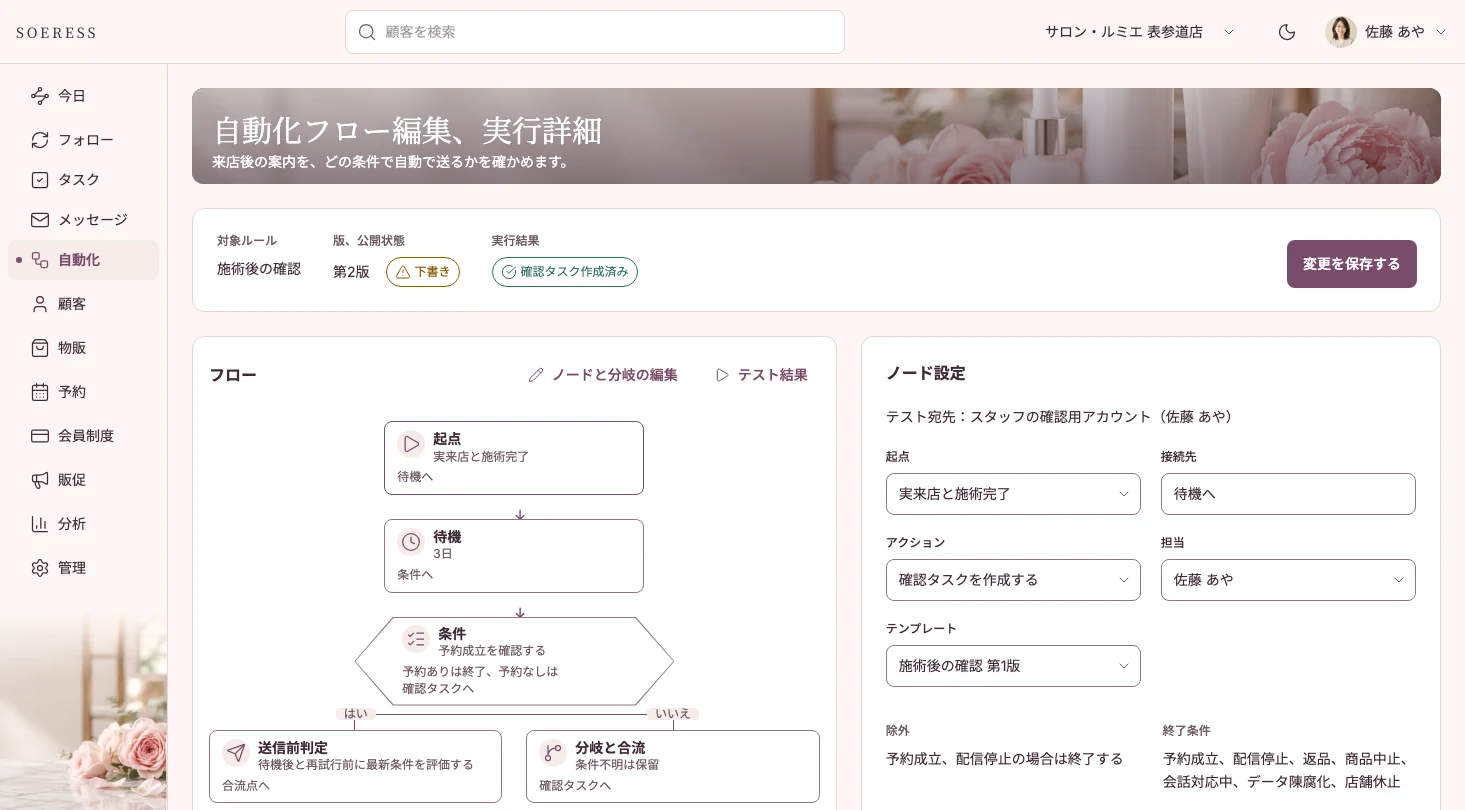
Follow-up automation
Build flows that decide what to send a set number of days after a visit and who gets a task when there is no response. Routine follow-ups run on their own, so staff can spend time on clients who need judgment.
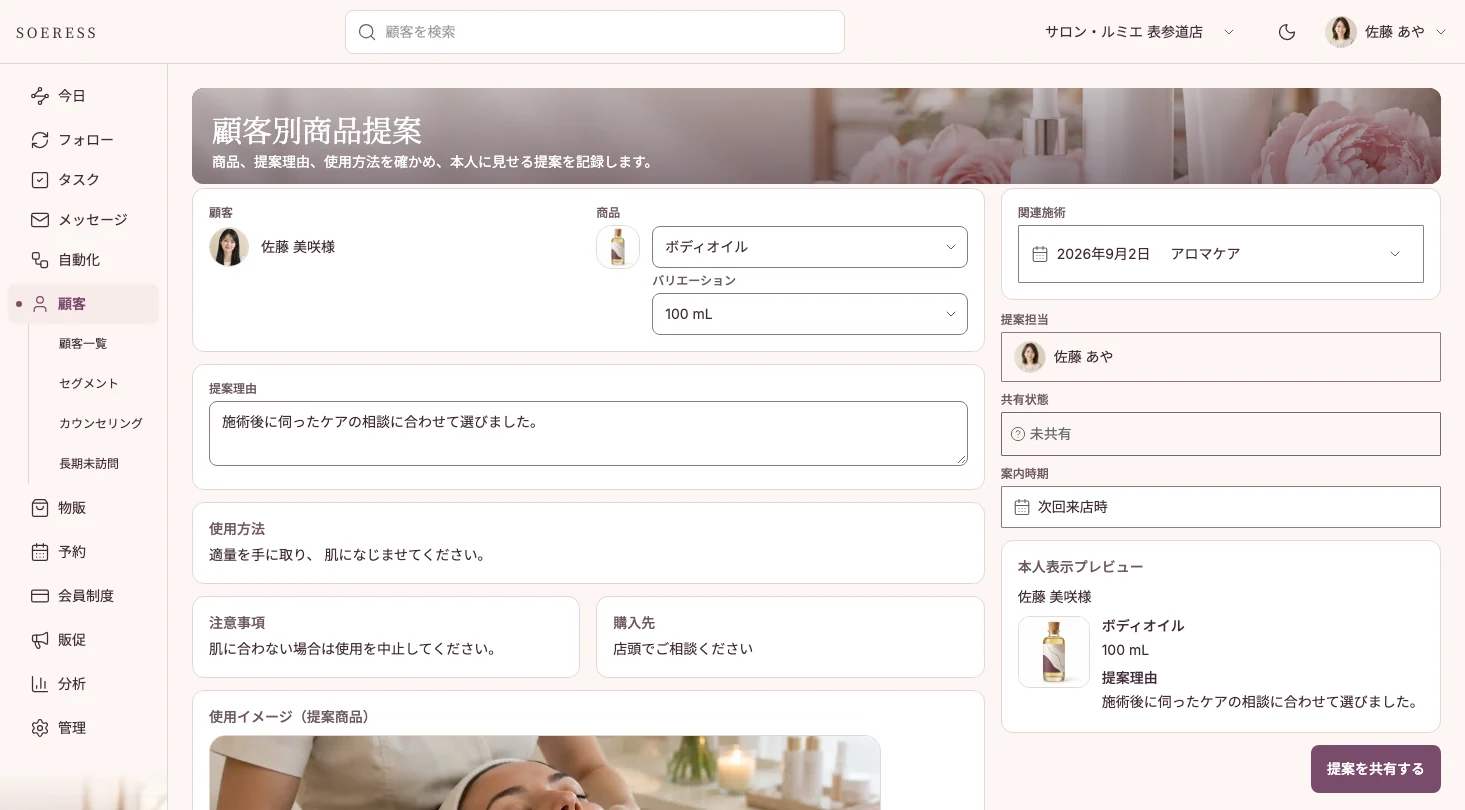
Product suggestions per client
Choose recommended products and how to use them for each client, based on the treatment. Staff check how the suggestion will look on the client's screen before sending it.
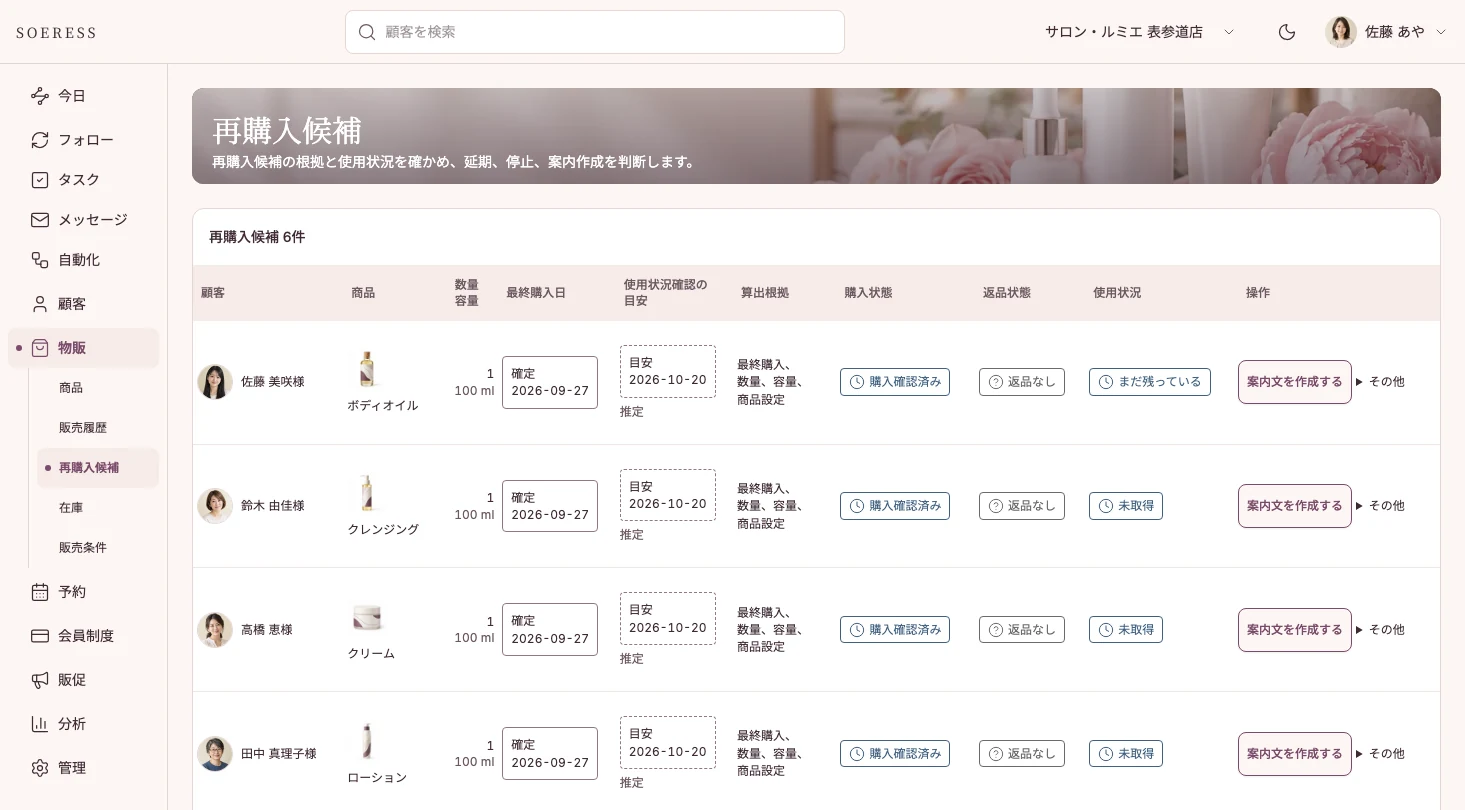
Repeat-purchase follow-ups
Based on how long each product lasts, clients who are likely running low appear as candidates. Staff can check in on how the product is working and then suggest a repeat purchase.
Follow-up and return-visit reports
Track completed follow-ups and return visits by period, store, staff member and menu. Together with the retail report, results are reviewed by visits and sales rather than by the number of messages sent.
Setup guide
A checklist walks through stores and brand, staff, consent and messaging, integrations and payments, and importing client data. Progress is visible at a glance, so salons can get started without guesswork.
Member app for clients
When clients open the app, they see their latest care record, next-visit guidance, bookings and replies from the salon. Besides the iOS and Android apps, it works in a browser and as a LINE mini app.
Revisiting care records
Clients can look back at their visit history, treatment details and staff member, post-treatment explanations and home-care tips. The next suggested visit is shown on the same screen.
Project Overview
Technology Stack (10 technologies)
- TanStack Start (React)
- React Native + Expo (member app)
- LINE mini app
- Hono (Cloudflare Workers)
- Better Auth (LINE, Google, email codes)
- Neon PostgreSQL + Drizzle ORM
- Cloudflare Hyperdrive, R2, Queues, Workflows
- Stripe Connect (retail and subscriptions)
- Resend (email)
- Tailwind CSS + shadcn/ui
Implemented Features (8 features)
- Daily dashboard of today's tasks
- Follow-up lists with due dates and lapsed-client detection
- Treatment records with client-facing summaries
- Customer ledger, treatment photos and sharing scopes
- Follow-up automation and message sending
- Per-client product suggestions and repeat-purchase follow-ups
- Follow-up, return-visit and retail reports
- Booking and shopping in the member app and LINE mini app
We can build a similar system for your business.
Build a dedicated SaaS product with ¥0 initial cost in 2–6 weeks using the SDK and AI.