yorisiru
A client-growth SaaS for professional firms and consultants that combines articles, paid memberships, chat consultations and bookings
A B2B2C SaaS that lets tax accountants, labor consultants and other advisors publish articles on their own branded site, turn readers into members, and lead them to chat consultations and bookings. Advisors create their site the moment they sign up and connect payments and calendars by following a setup checklist. Members read, consult and book on the web and in iOS and Android apps. Advisors set their own prices for memberships and paid sessions and are paid through Stripe Connect, while bookings are added to Google Calendar with a Google Meet link.
Updated: 11/2026
The video is in Japanese.
System Architecture
Members read articles, chat and book on the web and in the member app. Advisors and the platform team use admin screens on the same web app. Data and permissions live in Convex, bookings sync with Google Calendar, and billing runs on Stripe Connect.











- Members use the Next.js web app and the Expo member app for iOS and Android. Advisors and the platform team use admin screens on the same web app, with sign-in handled by Clerk.
- Tenant data, staff roles and member access rights live in Convex, and the web app runs on Cloudflare Workers. Article images and files are stored in R2.
- Bookings are added to Google Calendar, with a Google Meet link for online sessions. Crons and webhooks release holds and run settlement.
- Membership fees and paid sessions go through Stripe Connect, and iOS memberships are sold on the App Store. Updates reach members by Resend email and Web Push / Expo notifications.
Drag to move the diagram. Click it first to zoom with the mouse wheel.
Drag to move the diagram, and use the buttons at the top right to zoom.
With a keyboard, use the arrow keys to move, + and − to zoom, and 0 to reset.
Business Model
Advisors pay yorisiru a plan fee based on their member count, and set their own prices for memberships and paid sessions. The two payments flow through separate routes.


- Advisors pay yorisiru a plan fee based on their member count and use a branded public site and admin tools.
- Members pay advisors membership fees and session fees priced by each advisor, through Stripe. This is separate from the plan fee.
- Prospects find advisors through articles, then sign up to chat and book sessions.
- yorisiru supports the relationship with the member app and push notifications.
Drag to move the diagram. Click it first to zoom with the mouse wheel.
Drag to move the diagram, and use the buttons at the top right to zoom.
With a keyboard, use the arrow keys to move, + and − to zoom, and 0 to reset.
Key Features
One service that carries prospects from finding a firm through its articles to becoming members, consulting and booking
Branded public site
Set the firm name, colors and footer, and each advisor gets their own public site. The top page lists new articles and a way into consultations, so prospects can sign up right away.
Articles that lead to consultations
Each article can be free for everyone, show only the opening as a preview, or be limited to paying members. A booking prompt sits next to the article to guide readers to a consultation.
One-on-one chat
Members consult the firm by chat. Staff filter threads by unread status or customer email to reply, and new messages arrive by email and push notification.
Bookings synced with Google Calendar
Each consultation menu sets its length, price, cancellation deadline and daily limit. Bookings go to the assigned advisor's or a shared calendar, and online sessions get a Google Meet link.
Memberships and paid sessions
Advisors offer paid memberships at a monthly price they set and are paid through Stripe Connect. Paid sessions are charged at booking, and the iOS app sells memberships through the App Store.
Member app and push notifications
Members read, consult and book in the iOS and Android apps or on the web, which can be added to the home screen. Updates and booking confirmations arrive by Web Push and app notifications.
Setup checklist
Five steps, covering profile, branding, payment identity check, Google Calendar and consultation menus, are shown in order with their progress, so advisors can go from sign-up to launch without getting lost.
Dashboard
See published articles, active members, unread consultations and bookings at a glance, along with this month's revenue from memberships and session fees. Higher plans also show the funnel from article views to sign-ups and bookings.
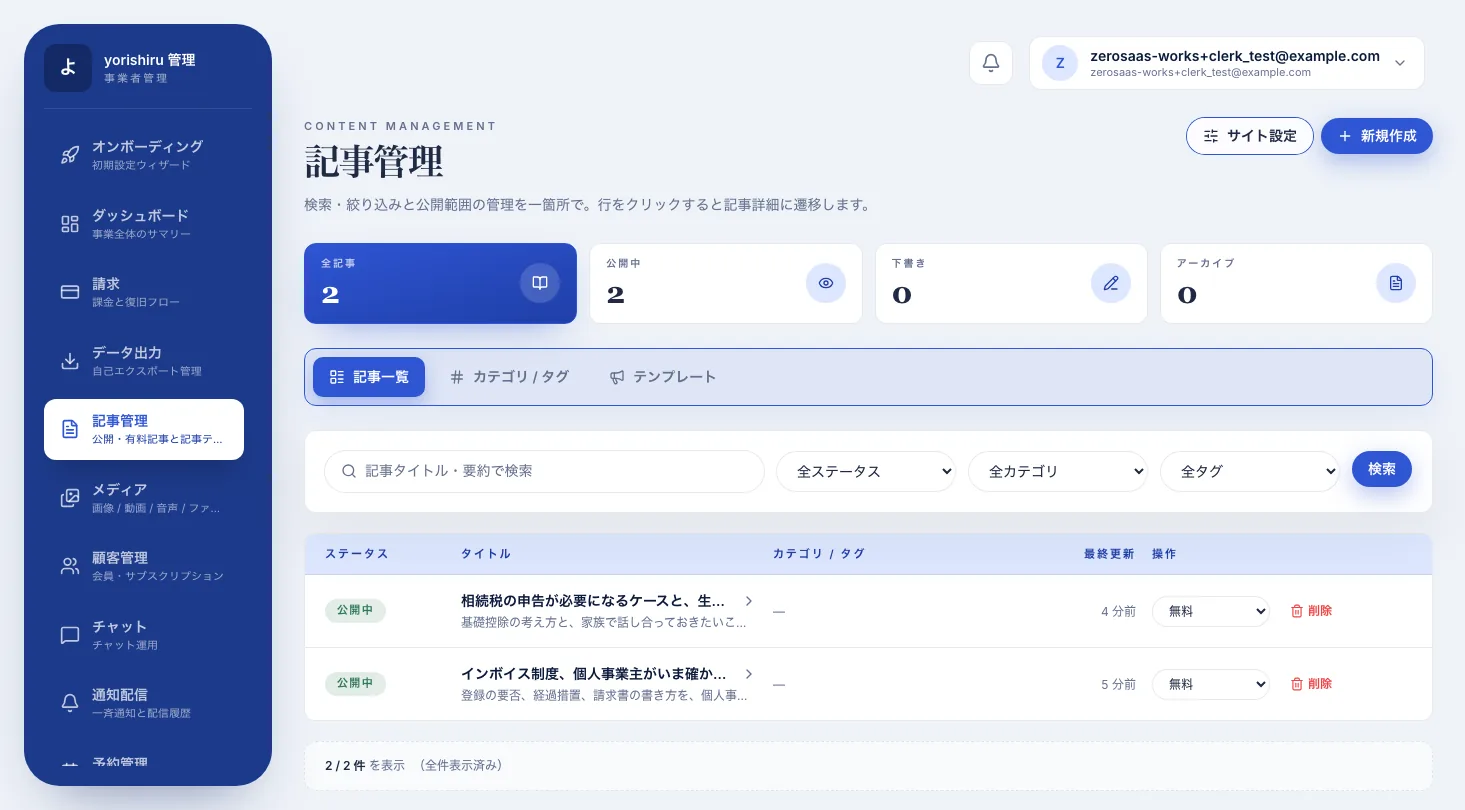
Article management and block editor
Write articles in a Notion-style block editor and use a slash command to add headings, lists and the paywall break. The list filters by status and category and lets you change who can read each article in place.
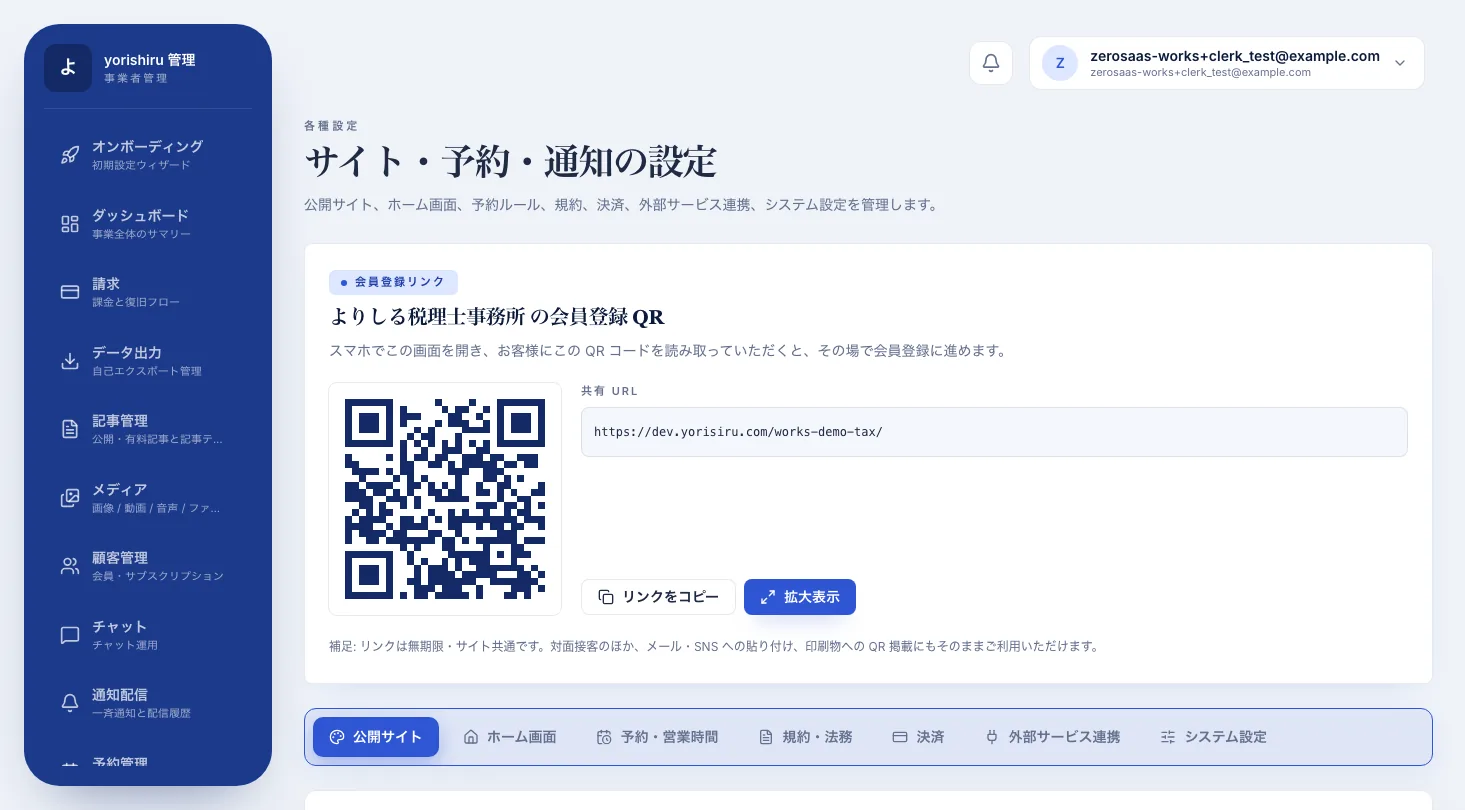
Sign-up QR code
Share the firm's sign-up page as a QR code and URL. Clients at an in-person meeting can scan it and sign up on the spot.
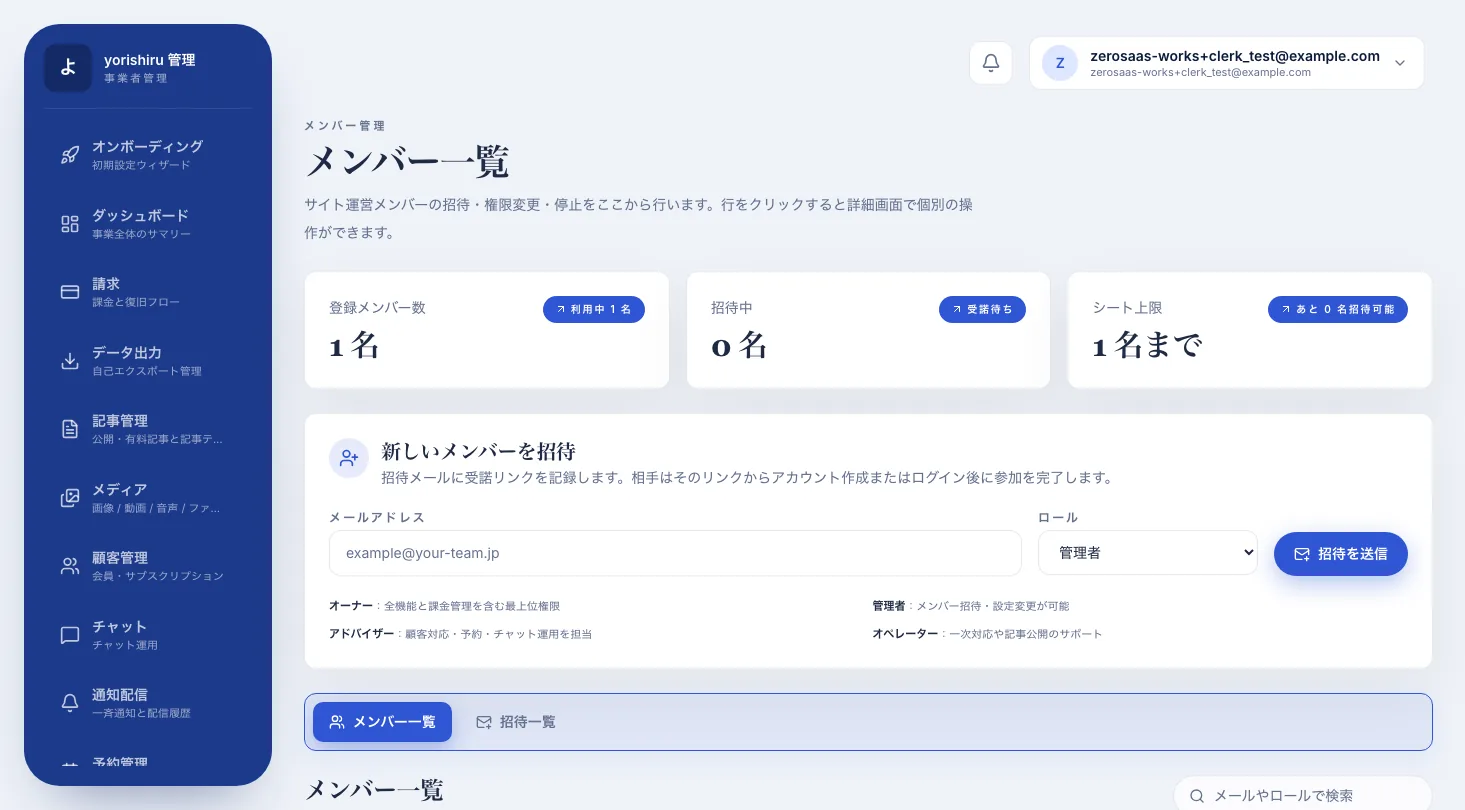
Staff invitations and roles
Invite staff by email and assign the owner, admin, advisor or operator role. Each role sees its own set of features, so advisors can focus on consultations and bookings.
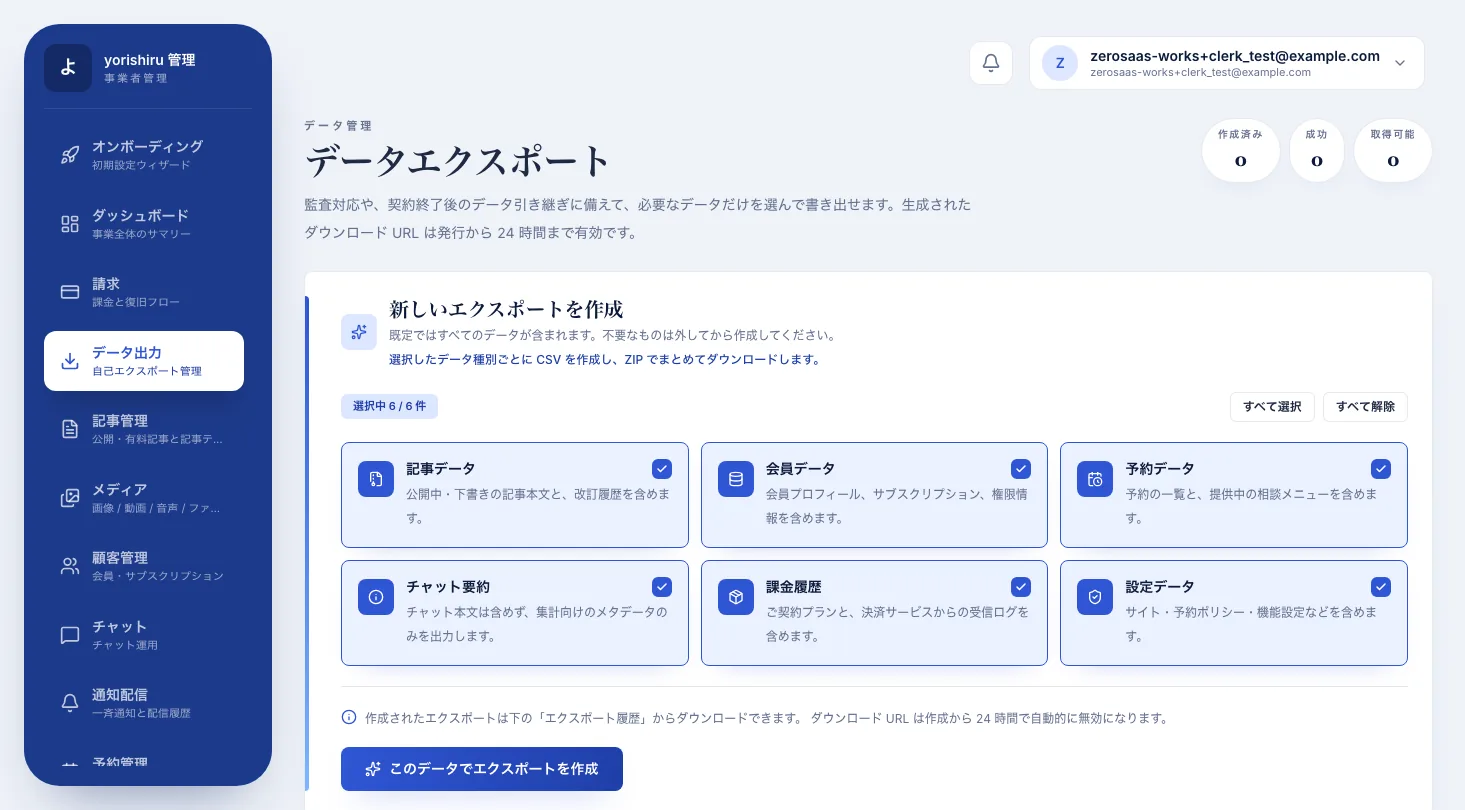
Data export
Choose articles, members, bookings, chats, billing and settings, and download them as a ZIP of per-table CSV files. Exports run in the background and notify you when ready.
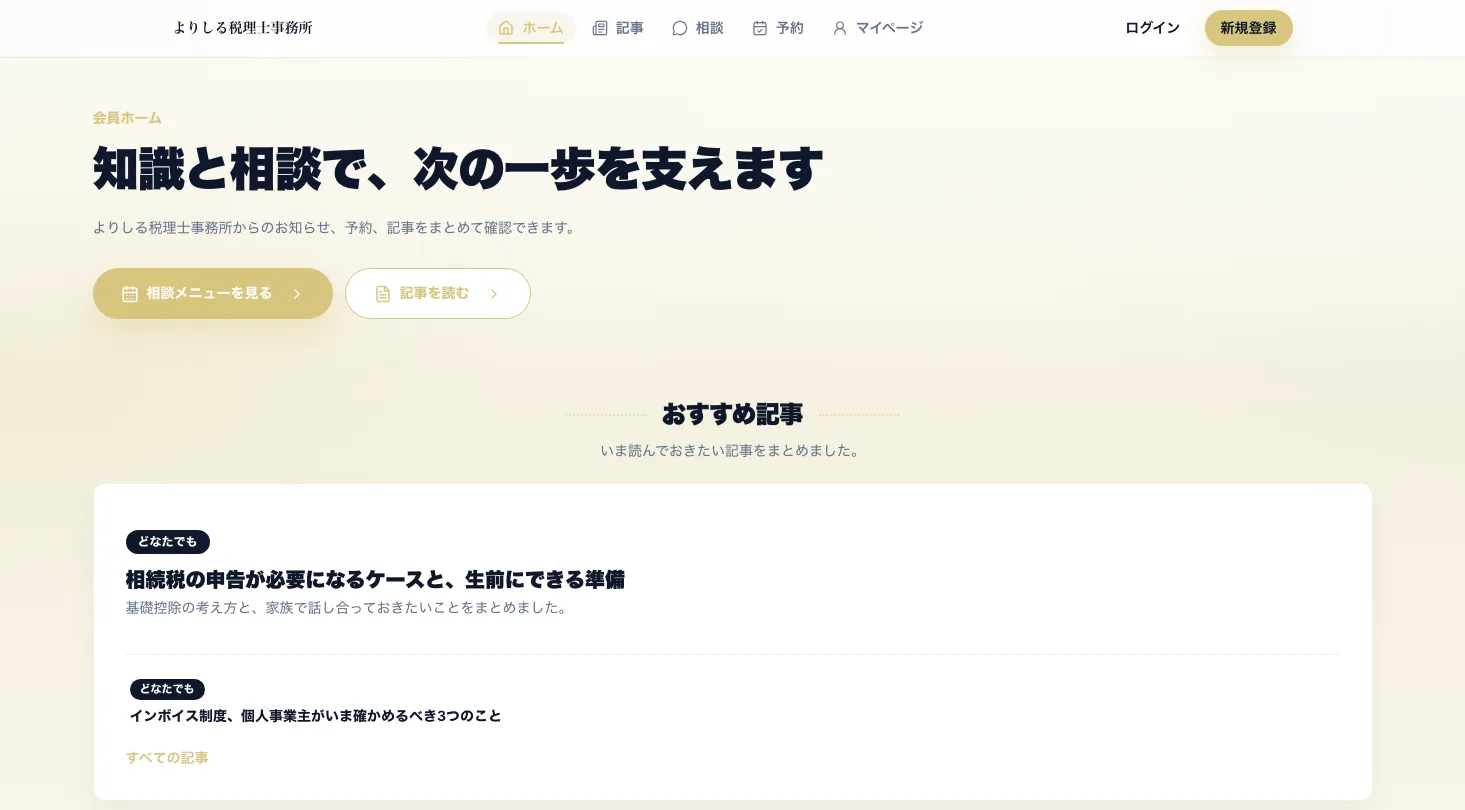
Branded public site
Set the firm name, colors and footer, and each advisor gets their own public site. The top page lists new articles and a way into consultations, so prospects can sign up right away.
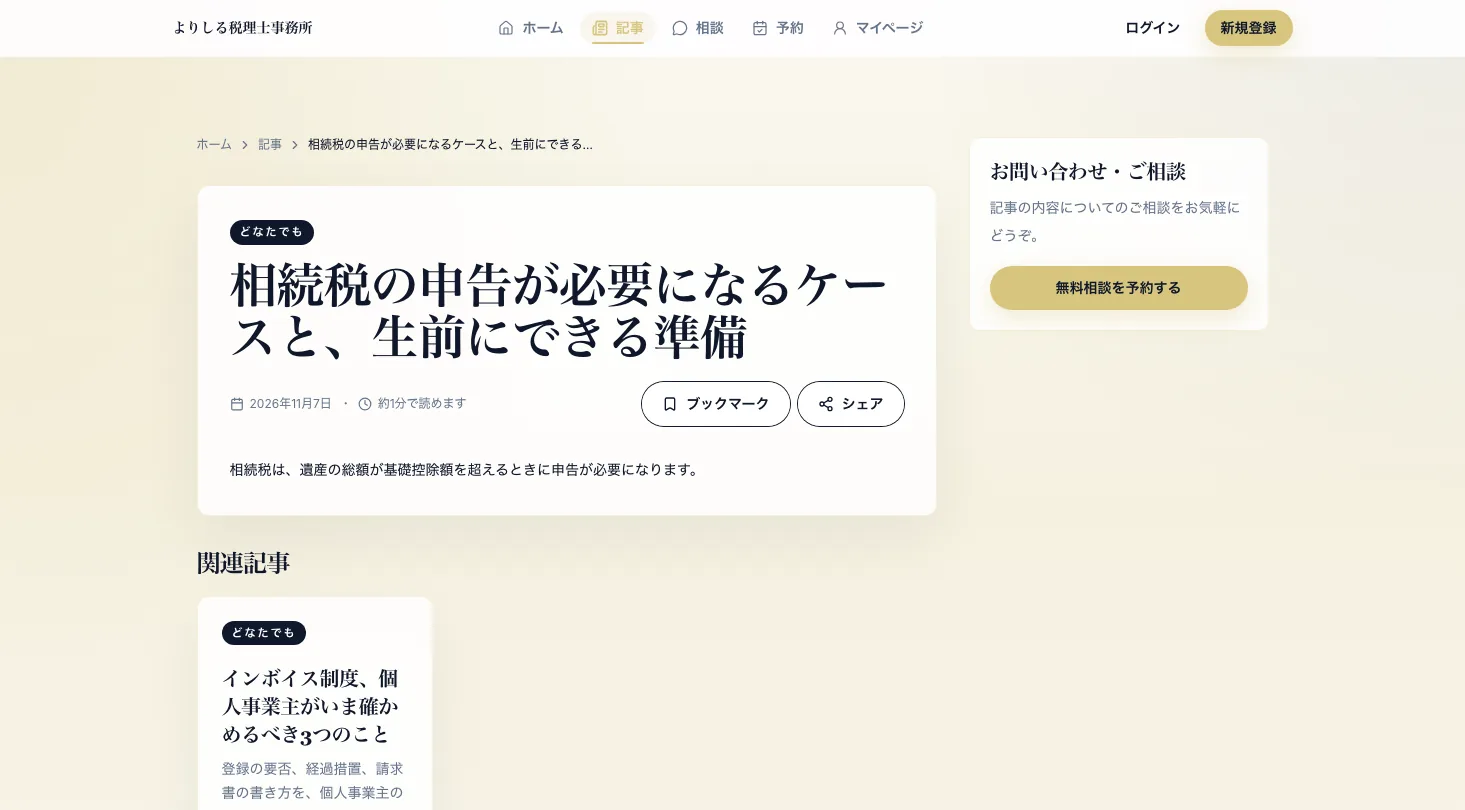
Articles that lead to consultations
Each article can be free for everyone, show only the opening as a preview, or be limited to paying members. A booking prompt sits next to the article to guide readers to a consultation.
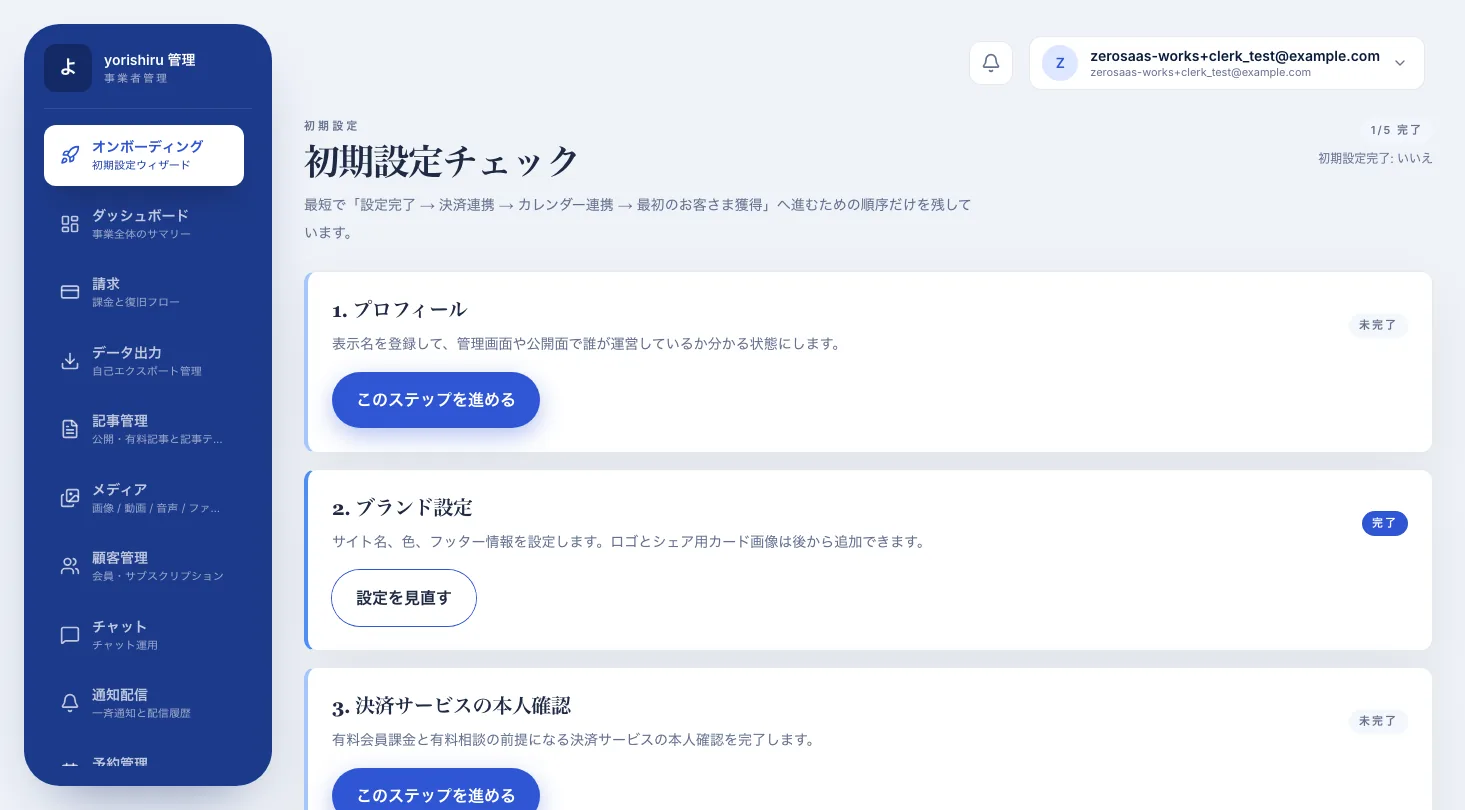
Setup checklist
Five steps, covering profile, branding, payment identity check, Google Calendar and consultation menus, are shown in order with their progress, so advisors can go from sign-up to launch without getting lost.
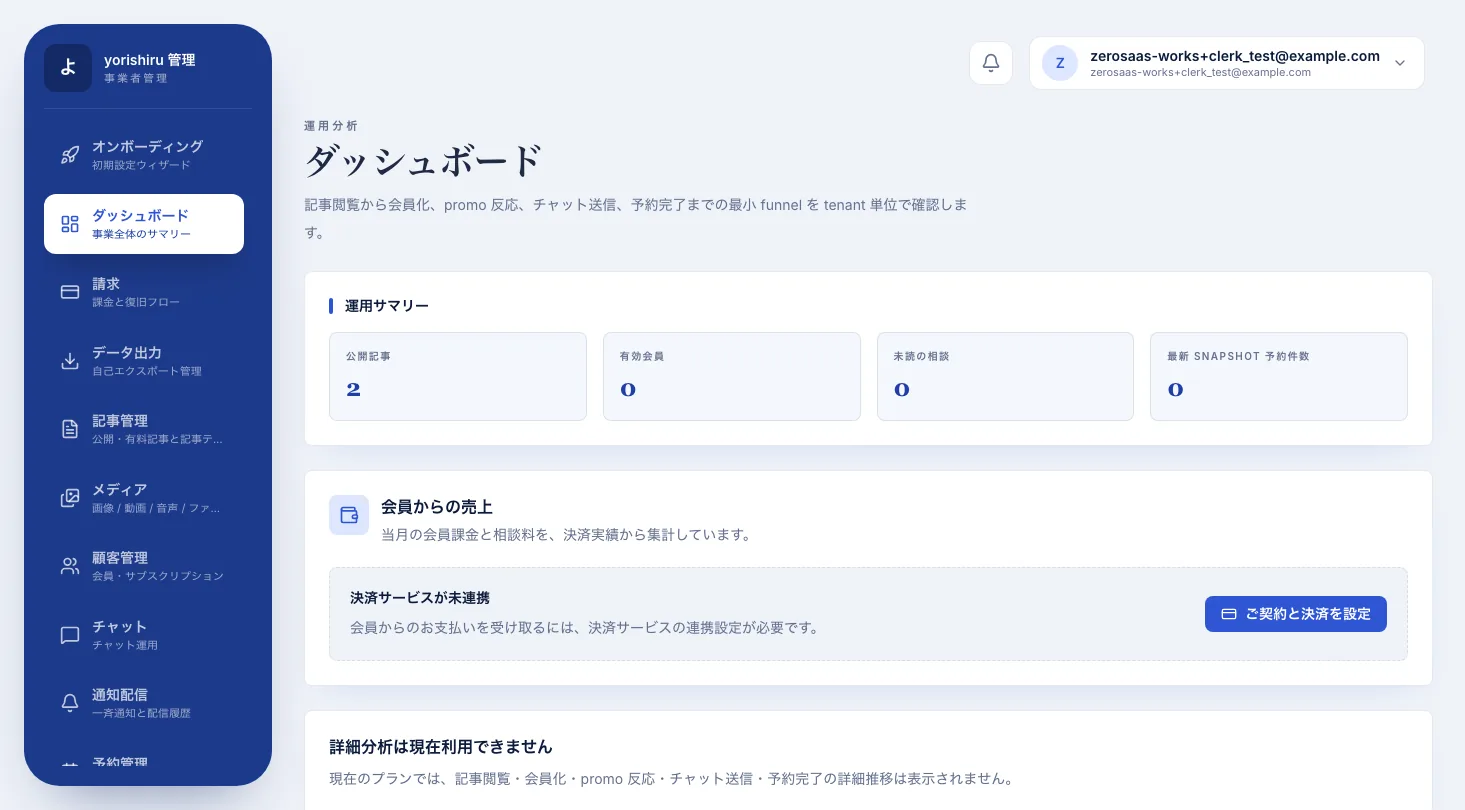
Dashboard
See published articles, active members, unread consultations and bookings at a glance, along with this month's revenue from memberships and session fees. Higher plans also show the funnel from article views to sign-ups and bookings.
Article management and block editor
Write articles in a Notion-style block editor and use a slash command to add headings, lists and the paywall break. The list filters by status and category and lets you change who can read each article in place.
Sign-up QR code
Share the firm's sign-up page as a QR code and URL. Clients at an in-person meeting can scan it and sign up on the spot.
Staff invitations and roles
Invite staff by email and assign the owner, admin, advisor or operator role. Each role sees its own set of features, so advisors can focus on consultations and bookings.
Data export
Choose articles, members, bookings, chats, billing and settings, and download them as a ZIP of per-table CSV files. Exports run in the background and notify you when ready.
Project Overview
Technology Stack (10 technologies)
- Next.js (App Router)
- React + TypeScript
- Expo (iOS and Android member app)
- Clerk authentication
- Convex (real-time database)
- Cloudflare Workers + R2
- Stripe Connect (memberships and paid sessions)
- Google Calendar and Google Meet
- Resend (email)
- Web Push (PWA)
Implemented Features (8 features)
- Branded public site and article publishing
- Free, preview and members-only articles
- Chat consultations with members
- Bookings synced with Google Calendar
- Memberships and paid sessions via Stripe Connect
- iOS and Android member app with Web Push
- Setup checklist and staff roles
- CSV data export
We can build a similar system for your business.
Build a dedicated SaaS product with ¥0 initial cost in 2–6 weeks using the SDK and AI.